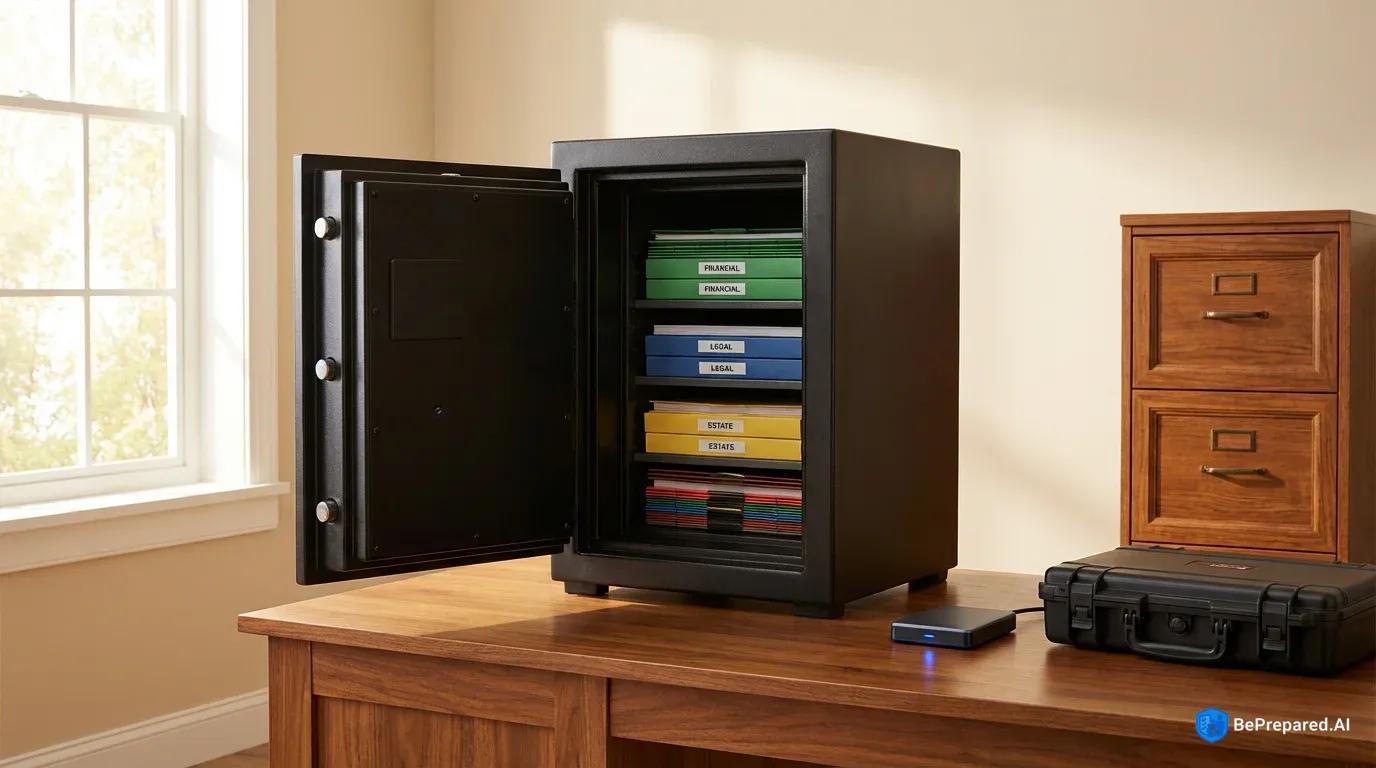
Understanding Document Vault Fundamentals
When Hurricane Katrina devastated the Gulf Coast in 2005, thousands of survivors faced an unexpected second disaster: they couldn't prove who they were, what they owned, or where they lived. Birth certificates, property deeds, insurance policies, and financial records had vanished into the floodwaters. Years later, many were still fighting to reconstruct their lives because they lacked the documentation to claim assistance, prove ownership, or access their own accounts. This scenario repeats itself across different disaster types—from wildfires consuming entire neighborhoods to ransomware attacks locking organizations out of their digital systems. The common thread? Those who maintained properly secured offline document vaults recovered exponentially faster than those who didn't.
An offline document vault represents a comprehensive system for storing critical information in formats that remain accessible when standard communication and digital infrastructure fails. This isn't simply a fireproof box stuffed with papers or a USB drive thrown in a drawer. A true document vault integrates multiple storage methodologies—both physical and digital—designed to survive the specific threat landscape you face while remaining accessible when you need it most. The fundamental principle centers on redundancy and isolation: your most critical information exists in multiple formats, stored in multiple locations, protected from both physical destruction and digital compromise.
The statistics supporting this approach are compelling. Research on disaster recovery outcomes demonstrates that 73% of individuals with properly maintained offline document vaults recover critical information more quickly after cyber incidents compared to those relying solely on cloud-based or single-location storage . This accelerated recovery translates directly into reduced financial losses, faster insurance claim processing, and maintained access to essential services. FEMA explicitly recommends both physical and digital backup systems for critical documents in their emergency preparedness guidelines, recognizing that different disaster scenarios threaten different storage methods . A house fire might destroy physical documents but leave digital storage intact, while an electromagnetic pulse or sophisticated cyberattack could compromise digital systems while leaving physical documents untouched.
Understanding the distinction between physical and digital considerations forms the foundation of effective vault design. Physical document storage excels in scenarios involving digital infrastructure collapse—whether from cyberattacks, electromagnetic events, or simple power grid failures. Paper documents require no electricity, no passwords, and no technological literacy to access. They can't be remotely hacked, and their authenticity is often easier to verify through watermarks, seals, and other security features. However, physical documents are vulnerable to environmental threats like fire, water, mold, and simple deterioration over time. They're also bulkier, harder to duplicate, and more difficult to transport in evacuation scenarios.
Digital offline storage—distinct from cloud storage—offers different advantages and vulnerabilities. Properly encrypted digital documents stored on air-gapped devices provide enormous information density, easy duplication, and rapid searchability. You can store thousands of pages on a device smaller than a deck of cards. Yet digital storage depends on functioning technology, compatible hardware, remembered passwords, and protection from electromagnetic interference. The "digital" aspect doesn't automatically mean "vulnerable to cyber threats" when properly implemented, but it does require more technical sophistication to secure effectively.
A comprehensive risk assessment framework should guide your vault design decisions. Begin by cataloging the specific threats relevant to your geographic location and personal situation. Coastal residents face hurricane and flooding risks that demand waterproof solutions. Those in wildfire-prone regions need fire-resistant storage as a primary concern. Urban professionals face elevated cybersecurity threats and should prioritize encrypted digital backups. The framework should evaluate both probability and impact: how likely is each threat, and how catastrophic would the loss of specific documents be? A birth certificate might be replaceable with enough time and bureaucratic persistence, but cryptocurrency recovery keys or unique family photographs are irreplaceable. This assessment directly informs which documents require the highest security levels, how many backup copies you need, and where those copies should be stored.
The vault fundamentals also require understanding the concept of accessibility trade-offs. Maximum security often conflicts with rapid access. A safe deposit box at a bank offers excellent physical security but becomes inaccessible during bank closures, natural disasters, or banking system disruptions. A waterproof bag buried in your backyard provides disaster-resistant storage but requires time to retrieve and offers no protection against theft. The most effective vault systems layer multiple security levels, balancing protection against accessibility based on how frequently you need each document category and how quickly you'd need it in various emergency scenarios.
- Level 1: Critical Documents
- Biometric-secured fireproof safe, military-grade encryption for digital copies, off-site safety deposit box backup. Includes passports, birth certificates, military records.
- Level 2: Financial Records
- TL-30 rated safe, encrypted cloud storage with 2FA, quarterly rotation schedule. Contains deeds, stocks, insurance policies, banking information.
- Level 3: Personal Documentation
- Fire-resistant document safe, password-protected digital storage, monthly backup routine. Medical records, licenses, professional certifications.
- Level 4: Reference Materials
- Water-resistant filing system, basic encryption, local backup. Technical manuals, maps, contact lists, property inventories.
Essential Document Categories and Organization
The effectiveness of your document vault hinges not just on security measures but on systematic organization that enables rapid retrieval under stress. During emergencies, your cognitive function degrades significantly—stress hormones impair memory, decision-making suffers, and simple tasks become overwhelming. A document vault organized through intuitive categorization transforms from a storage system into an operational tool that functions precisely when you're least capable of complex problem-solving.
The National Institute of Standards and Technology recommends categorizing documents into at least five distinct security levels based on sensitivity, replaceability, and potential misuse if compromised . This hierarchical approach ensures your most critical documents receive proportionate protection without creating unnecessary barriers to accessing lower-risk materials. Let's examine each essential category and its organizational requirements in detail.
Tier One: Foundational Identity Documents form the bedrock of your vault system. This category includes birth certificates, Social Security cards, passports, citizenship papers, and adoption records. These documents prove your legal existence and identity—prerequisites for accessing virtually every other service or benefit. Store original documents when possible, as many agencies require originals for specific transactions. However, given their critical nature, also maintain certified copies in secondary locations. Each family member requires their own complete identity packet. Organize these chronologically by family member, with the primary account holder first, followed by spouse and dependents in birth order. This sequencing matches how most agencies request information, reducing retrieval time.
Tier Two: Financial and Legal Documentation encompasses a broader range of materials that prove ownership, obligations, and legal relationships. Property deeds and titles demonstrate real estate ownership—essential for insurance claims, rebuilding permits, and proving residence. Vehicle titles serve similar purposes for automobiles, boats, and recreational vehicles. Investment account statements, retirement account documentation, and bank account records establish your financial position and enable account recovery. Legal documents including wills, trusts, powers of attorney, and advance healthcare directives ensure your wishes are honored when you cannot advocate for yourself. Marriage certificates, divorce decrees, and custody agreements define legal relationships affecting everything from healthcare decisions to inheritance rights. Federal guidelines specifically require many of these documents for disaster assistance claims, and their absence can delay or disqualify aid .
Within this tier, organization should follow a functional approach. Group documents by purpose rather than document type. Create a "Property Ownership" section containing all deeds, titles, and related documents together. Maintain a "Financial Accounts" section with statements from all institutions, organized by account type (checking, savings, investment, retirement). Your "Legal Authority" section should contain all documents granting or defining decision-making power. This functional organization matches how you'll actually need to access these documents—you'll rarely need "all titles" but frequently need "everything related to the primary residence."
Tier Three: Medical and Insurance Records represent information that directly impacts your ability to receive appropriate care and financial protection. Medical records should include vaccination histories, chronic condition documentation, surgical records, and current prescription information. These become critical when evacuating to unfamiliar areas where providers lack access to your medical history. Medication lists should specify exact names, dosages, and prescribing physicians—generic descriptions like "blood pressure medicine" prove useless when seeking refills. Insurance documentation must include policy numbers, coverage details, and direct contact information for claims departments. Health insurance cards, dental insurance information, vision coverage, and specialized policies (like cancer insurance) each warrant separate documentation.
Property and casualty insurance deserves particular attention. Your homeowners or renters insurance policy should be accompanied by a comprehensive home inventory with photographs or video of possessions, receipts for high-value items, and appraisals for irreplaceable items. Vehicle insurance policies need associated vehicle identification numbers and photos documenting vehicle condition. Liability umbrella policies, professional liability insurance, and specialized coverage (flood, earthquake, etc.) each require separate documentation. The organization principle here centers on speed of claims filing—after a disaster, you need to contact insurers immediately. Group each policy with its supporting documentation and contact information in a single packet that enables you to file a complete claim without hunting for additional information.
Tier Four: Property and Asset Documentation extends beyond ownership papers to include information necessary for recovery and reconstruction. Photographs of your property from multiple angles, both interior and exterior, document pre-disaster condition. Home improvement records and contractor information prove upgrades that increase property value and replacement cost. Warranties and user manuals for major appliances and systems help with repair or replacement. For business owners, this tier expands dramatically to include business licenses, tax identification numbers, vendor contracts, and operational procedures. The organizational approach should mirror your physical property—create sections for "Primary Residence," "Vehicles," "Business Property," and "Other Assets" (collectibles, recreational property, etc.), with comprehensive documentation for each.
Tier Five: Emergency Contacts and Procedures transforms your vault from a passive storage system into an active emergency response tool. This category includes contact information for family members, physicians, attorneys, insurance agents, financial advisors, and employers. But mere contact lists prove insufficient—you need context. Why would you contact each person? What information do they hold? What authority do they have? Your emergency contact documentation should include decision trees: "If unable to reach primary contact, proceed to secondary contact." Include account numbers, policy numbers, and reference codes that enable these contacts to actually help you rather than simply acknowledge your call.
Procedural documentation guides action during high-stress scenarios. Create step-by-step instructions for filing insurance claims, accessing safe deposit boxes, contacting financial institutions to freeze accounts, and notifying relevant parties of address changes. Include authentication information like security questions and answers, PINs for phone verification, and account recovery procedures. This information requires the highest security—it's essentially a master key to your entire life—but it's also what you'll desperately need when cognitive function is impaired by crisis stress.
The overarching organizational principle integrating all five tiers is the "grab-and-go" test. Could someone unfamiliar with your system—a trusted friend, adult child, or attorney—grab your vault and quickly locate any specific document? Could you yourself, awakened at 3 AM by a disaster alert, access what you need within minutes? If the answer to either question is no, your organization system needs refinement. Use clearly labeled dividers, create a master index listing every document and its location, and maintain this index both inside the vault and in a separate location. Color-coding provides additional rapid visual reference—blue for identity documents, green for financial, red for medical, yellow for property, orange for emergency contacts.
Physical Security Implementation
The physical security infrastructure protecting your document vault must address multiple threat vectors simultaneously: unauthorized access, environmental destruction, theft, and simple deterioration over time. Each security layer you implement should target specific threats while maintaining practical accessibility for legitimate use. The challenge lies in creating a system robust enough to survive foreseeable disasters yet accessible enough to actually use when needed.
Safe specifications begin with understanding industry ratings and what they actually protect against. The SANS Institute recommends a minimum 1-hour fire rating at 1700°F for document safes—this specification isn't arbitrary . Structure fires commonly reach temperatures between 1400°F and 1800°F, and the one-hour rating provides sufficient protection during the critical period when firefighters are actively combating the blaze. However, fire ratings alone tell an incomplete story. A "fire-resistant" safe protects against heat but may not be waterproof—a critical oversight given that firefighting efforts introduce enormous water volumes. Look for safes with combined fire and water resistance ratings, typically designated as "fire-safe" and "water-resistant" or "waterproof."
The distinction between water-resistant and waterproof matters significantly. Water-resistant safes withstand water spray and brief exposure but may fail during flooding or prolonged water immersion. Waterproof safes, often rated for submersion at specific depths and durations, provide genuine flood protection. Coastal residents, those in flood plains, or anyone facing potential firefighting water damage should prioritize waterproof ratings. The ETL Verified certification provides independent testing verification—safes bearing this mark have undergone standardized testing rather than relying solely on manufacturer claims.
Beyond fire and water, consider impact resistance. Will your safe survive structural collapse if your home is destroyed? Drop ratings indicate whether a safe maintains integrity after falling from specific heights—simulating scenarios where floor collapse sends the safe crashing to lower levels. This becomes particularly relevant for second-floor installations or areas with tornado, hurricane, or earthquake risk. A safe rated for a 30-foot drop provides reasonable assurance it will survive building collapse.
Lock mechanisms present a fundamental security versus accessibility trade-off. Mechanical combination locks require no power, never suffer electronic failure, and resist electromagnetic interference. However, they're slower to open, and combinations can be forgotten during stress. Electronic locks offer rapid access, potentially with multiple user codes enabling access logging, but they require batteries and can fail. Biometric locks provide the fastest access but are vulnerable to power failure and can malfunction due to injuries affecting your fingerprints. The optimal approach for critical document vaults often involves dual-locking mechanisms—a primary electronic lock for daily access backed by a mechanical override for emergency situations.
Environmental protection extends beyond the safe itself. Even the best safe has limitations—no consumer-grade safe is completely impervious to all threats. Interior environmental controls add additional protection layers. Desiccant packets combat humidity that causes mold growth and paper deterioration. Vacuum-sealed bags provide secondary water protection even if the safe's waterproof seal is compromised. Archival-quality document sleeves prevent acid deterioration and protect against residual moisture. These measures are particularly critical in humid climates or basements where ambient moisture constantly challenges document preservation.
Access control systems govern who can open your vault and when. For home-based vaults, this might be as simple as limiting combination knowledge to trusted family members. However, consider the succession planning aspect: if something happens to you, can your spouse access the vault? If something happens to both of you, can your adult children or designated executor access critical documents? Conversely, you don't want teenage children accessing passports and Social Security cards that enable identity fraud. Tiered access systems address this through multiple storage locations with different access levels. Your primary safe might contain current-use documents accessible to both spouses, while a bank safe deposit box contains backup copies and highly sensitive documents accessible only with both keys or through estate procedures.
The multiple location strategy fundamentally changes your risk profile. Studies suggest that maintaining document copies in geographically distributed locations can substantially reduce the risk of complete loss compared to single-location storage. The principle is straightforward: disasters are geographically bounded. A house fire destroys your home safe but not a safe deposit box across town. A regional disaster affecting your primary residence likely doesn't impact a trusted relative's home in another state. However, geographic distribution introduces accessibility challenges—documents stored 500 miles away don't help during immediate emergencies.
The optimal multiple-location strategy typically involves three tiers. First, a home-based safe provides immediate access to working copies of essential documents. This handles routine needs—renewing a driver's license, filing taxes, updating insurance—without requiring trips to remote locations. Second, a local but off-site location, such as a bank safe deposit box or a trusted local friend's home safe, provides geographic separation from your primary residence while remaining accessible within a few hours. This protects against home-specific disasters while enabling relatively rapid access. Third, a geographically distant location—perhaps a relative in another state or a specialized document storage service—provides protection against regional disasters. This location might be accessible only through shipping or travel, but it ensures that even catastrophic regional events leave your critical documents recoverable.
Each location should contain different document categories based on access frequency and sensitivity. Your home safe holds working copies of documents you reference regularly. Your local off-site location contains certified copies of foundational documents and backup copies of financial records—things you don't need often but might need urgently. Your distant location holds backup copies of everything, organized identically to your home safe, ensuring complete recovery capability even if both your home and local area are devastated.
Maintenance and inspection protocols prevent security degradation over time. Physical safes require quarterly inspections checking for rust, seal integrity, lock function, and environmental intrusion. Test your combination or electronic code regularly—combinations forgotten from disuse become useless during emergencies. Inspect interior conditions for moisture, pest intrusion, or deterioration. Check that desiccant packets are still active (most change color when saturated) and replace them as needed. Verify that door seals remain intact and that no gaps have developed. For electronic locks, replace batteries on a fixed schedule rather than waiting for low-battery warnings—you don't want a dead battery preventing access during an emergency.
Document the safe's serial number, combination, and location in a separate secure location. This seems obvious, but many people discover after a disaster that they can't prove safe ownership or have forgotten combinations. Maintain a separate record—perhaps with your attorney or in a password manager—containing all safe access information. Include instructions for accessing the safe after your death or incapacitation, ensuring your estate executor or designated agents can fulfill your wishes.
Digital Backup Systems
While physical document storage provides tangible security and disaster-resistant accessibility, digital backup systems offer unmatched information density, rapid duplication, and efficient organization. The key to effective digital document vaulting lies in understanding that "digital" doesn't automatically mean "cloud-connected" or "vulnerable to cyber threats." Properly implemented offline digital storage provides security rivaling or exceeding physical documents while offering operational advantages that become critical during extended emergencies.
The foundation of secure digital document storage is encryption—specifically, the National Institute of Standards and Technology recommends minimum AES-256 encryption for sensitive document storage . AES-256 (Advanced Encryption Standard with 256-bit keys) represents the current gold standard in encryption, used by governments worldwide for classified information. The mathematics are compelling: a brute-force attack against AES-256 encryption would require more computing power than currently exists on Earth, running for longer than the universe has existed, to crack a single properly encrypted file. This isn't marketing hyperbole—it's mathematical reality. When implemented correctly, AES-256 encryption renders your documents effectively unreadable to anyone without the encryption key, even if they physically possess the storage device.
However, encryption strength is only as good as its implementation. The encryption key—essentially a password—must be sufficiently complex and unique. Password managers can generate and store cryptographically secure keys, but this creates a dependency on the password manager itself. For truly offline document vaults, consider using a passphrase approach: a lengthy, memorable sentence that provides high entropy (randomness) while remaining human-memorable. "The quick brown fox jumps over the lazy dog" is memorable but too common—it appears in password dictionaries. "My daughter graduated Summa Cum Laude from Northwestern in 2019!" provides better security through specificity while remaining memorable. Longer passphrases with mixed case, numbers, and symbols defeat dictionary attacks while avoiding the memorability problems of random character strings.
Offline storage solutions must be genuinely offline—not simply "disconnected temporarily" but architecturally isolated from network connectivity. Air-gapped systems can substantially reduce cyber breach risk according to cybersecurity research . An air-gapped system has never been connected to the internet and never will be. This physical separation eliminates entire categories of cyber threats: remote hacking, malware infection via network vectors, ransomware encryption, and data exfiltration. The system can only be compromised through physical access or deliberately introduced infected media.
Building an air-gapped document vault system starts with dedicated hardware. Purchase a new USB flash drive, external hard drive, or solid-state drive that has never been connected to an internet-enabled computer. This device will serve exclusively as your offline document vault—never use it for any other purpose, as dual-use creates compromise vectors. Use a computer that's temporarily disconnected from the internet to transfer and encrypt your documents, then permanently isolate the storage device. Some security-conscious individuals maintain a dedicated laptop that has never connected to the internet specifically for managing offline encrypted storage, though this represents a significant investment for most users.
The encryption process should occur before documents reach the storage device. Create encrypted container files using tools like VeraCrypt (open-source and widely audited by security researchers) or BitLocker (built into Windows Pro and Enterprise editions). These tools create encrypted virtual drives that appear as normal folders when unlocked with your passphrase but are cryptographically secured when locked. Store all documents within these encrypted containers rather than relying on file-by-file encryption, which is more prone to user error and incomplete coverage.
Document format selection impacts long-term accessibility. Proprietary formats tied to specific software versions create vulnerabilities—if you can't access the software in ten years, can you still read your documents? Prioritize open, standardized formats: PDF for documents (PDF/A specifically for archival purposes), JPEG or TIFF for images, and plain text for information that doesn't require formatting. Avoid formats tied to specific software versions (like .docx files that require specific Microsoft Word versions) unless absolutely necessary. When proprietary formats are unavoidable, store documents in multiple formats—both the native format and a PDF conversion—ensuring accessibility even if original software becomes unavailable.
Redundancy in digital storage follows the 3-2-1 backup strategy: three copies, two different media types, one off-site location . This principle addresses different failure modes. Multiple copies protect against individual device failure—hard drives fail, flash drives corrupt, discs degrade. Different media types protect against media-specific vulnerabilities—a magnetic pulse might corrupt hard drives but leave optical discs intact. Off-site storage protects against location-specific disasters. For offline document vaults, this might mean one encrypted USB drive in your home safe, one encrypted external hard drive in a safe deposit box, and one encrypted disc with a trusted relative in another state.
Verification and testing procedures ensure your digital vault actually works when needed. Encryption that can't be decrypted is worthless. Quarterly, practice the complete recovery process: retrieve your encrypted storage device, decrypt it using only the information available in your emergency protocols (don't rely on memory—use your documented procedures), and verify that documents open correctly. This testing serves multiple purposes: it confirms your passphrase remains correct and accessible, verifies that encryption hasn't corrupted files, ensures your hardware still functions, and maintains your familiarity with recovery procedures. Document each test with date and results, noting any issues encountered.
Consider the technology succession problem: will your designated representatives be able to access your encrypted documents after your death or incapacitation? Encryption that's too secure becomes a vault no one can open. Solutions include providing sealed encryption passphrases to your attorney with instructions for when they should be revealed, using secret-sharing schemes that require multiple parties to collaborate to reconstruct the passphrase, or maintaining a "break glass in emergency" envelope with your estate documents containing access instructions. Balance security against the reality that someone you trust needs eventual access.
Media longevity requires attention. Digital storage isn't "set and forget." Storage media degrades over time, with different technologies exhibiting different failure patterns. Hard drives may last several years under optimal conditions, while flash memory and optical discs have their own longevity characteristics—but these are averages, and individual devices fail unpredictably. Implement a rolling refresh schedule: every three years, purchase new storage media, transfer your encrypted vault to the new device, verify the transfer, and destroy the old device (physical destruction, not just deletion). This prevents gradual data corruption and ensures you're never relying on aging hardware during an emergency.
Environmental storage conditions for digital media differ from paper documents. Extreme temperatures damage electronics—store devices in climate-controlled environments, avoiding attics, garages, or vehicles. Magnetic media (traditional hard drives) should be kept away from strong magnetic fields. Optical discs require protection from direct sunlight and humidity. Solid-state drives and flash memory offer the best environmental resilience but remain vulnerable to electrical damage. For each storage location, evaluate environmental conditions and select appropriate media types.
The integration between physical and digital systems creates a comprehensive vault greater than the sum of its parts. Store digital backup devices in your physical safe, providing both environmental protection and access control. Maintain printed encryption passphrases in sealed envelopes within your physical document system, ensuring digital access even if you've forgotten passphrases. Create printed indexes of digital vault contents, enabling you to know what's available without needing to decrypt and search. This integration ensures that compromise of one system doesn't completely destroy your document security while maintaining accessibility through multiple pathways.
- Q1: Security Protocol Audit
- Review access logs, update security clearances, verify emergency contact chains, test communication systems
- Q2: Documentation Review
- Update contingency plans, verify insurance policies, review asset inventories, refresh emergency procedures
- Q3: Infrastructure Assessment
- Evaluate bunker systems, test backup power sources, inspect water filtration, verify air handling systems
Maintenance and Update Protocols
A document vault is not a static archive but a living system requiring regular maintenance to remain effective. Documents expire, circumstances change, and security measures degrade without active management. The difference between a vault that saves you during emergencies and one that fails precisely when needed often comes down to maintenance discipline executed during the calm periods between crises.
Quarterly review cycles provide the optimal balance between thorough oversight and practical sustainability. Security experts recommend this cadence because it aligns with natural life rhythms—quarterly reviews coincide with seasonal changes, financial quarters, and insurance policy renewals . Mark specific dates on your calendar: the first weekend of January, April, July, and October, for example. Treat these reviews as non-negotiable appointments with the same priority as medical checkups or tax deadlines.
Each quarterly review should follow a systematic checklist approach, examining both content and security. Begin with document verification: are all documents current and valid? Check expiration dates on passports, driver's licenses, professional licenses, and insurance policies. Verify that account statements are recent—financial institutions change account numbers, close branches, and modify contact information regularly. Review medical records for accuracy, adding recent diagnoses, new prescriptions, or changed providers. This verification process often reveals gaps: you realize your homeowners insurance increased coverage limits, but your vault still contains the old policy declaration. You discover your child got a new passport, but the old one remains in the vault without the new one added.
FEMA guidelines recommend that you update stored documents every six months . This cadence ensures your vault contains current information that accurately reflects your present circumstances. When replacing a document, don't simply swap the old for the new. Create a document change log noting what was removed, what was added, the date of change, and who made the change. This audit trail proves invaluable when questions arise—did you update the beneficiary designation on that life insurance policy, or did you only intend to? The log provides definitive answers.
Store replaced documents in a separate "archive" section rather than destroying them immediately. Old insurance policies, expired passports, and previous addresses might be needed to establish continuity or prove historical facts. After one year in archive status, review whether continued retention serves any purpose, then destroy documents containing sensitive information through cross-cut shredding or burning.
New document integration follows the categorization system established during initial vault setup. When you receive a new document requiring vault storage, immediately determine its category and security tier. Process it within 48 hours—documents left "to be filed later" often get lost or forgotten. Make copies as required by your redundancy protocol: if your system calls for copies in three locations, create all three copies immediately and distribute them during your next access to each location. Partial implementation defeats the purpose—a document secured in only one location when your protocol requires three provides false confidence.
Access logging transforms your vault from passive storage into an active security system. Maintain a physical logbook stored with your vault recording every access: date, time, who accessed the vault, what documents were retrieved or added, and the purpose. This seems tedious during routine access, but the discipline pays dividends. The log reveals patterns: you've accessed your passport three times in six months, suggesting you should keep a copy in a more readily accessible location. The log also reveals anomalies: an access you don't remember might indicate unauthorized entry or might simply jog your memory about a legitimate access. For digital vaults, access logging is simpler—encrypted containers can generate automatic access logs recording when they were unlocked.
Security audit requirements extend beyond document content to the security infrastructure itself. During quarterly reviews, physically inspect your safe: check seals, test locks, verify environmental controls, and confirm that concealment or camouflage measures remain effective. For digital systems, verify encryption integrity by attempting to access encrypted containers, confirm that backup devices still function, and test that you can successfully decrypt and read stored files. This testing should follow your documented recovery procedures exactly—use only the information available in your emergency protocols, simulating a real emergency where you might not have access to all your usual resources or knowledge.
Update your threat assessment annually. Has your risk profile changed? A new job in a different state changes your geographic risk factors. A medical diagnosis changes your healthcare documentation needs. Marriage, divorce, births, deaths, property purchases, or business ventures all fundamentally alter what documents you need and how they should be secured. The annual comprehensive review examines whether your current vault design still matches your actual needs or whether significant restructuring is warranted.
Emergency access protocols deserve special attention during maintenance cycles. These protocols govern how others access your vault when you cannot—due to death, incapacity, or simply being unreachable during a disaster. Test these protocols by having your designated emergency contact actually attempt to follow them. Can they locate the vault? Do they have the necessary access credentials? Do the instructions make sense to someone not intimately familiar with your system? This testing often reveals gaps: the combination you wrote down was for the old safe, not the new one. The key you gave your sister doesn't actually fit the current lock. The instructions reference a bank that closed two years ago. Discovering these problems during calm testing rather than actual emergencies can be the difference between successful recovery and catastrophic loss.
Succession planning integrates with maintenance protocols. As you age or as circumstances change, transition vault knowledge to trusted individuals. This doesn't mean giving everyone full access immediately, but it does mean ensuring that critical information won't die with you. Create tiered revelation systems: your spouse knows everything, your adult children know where to find emergency instructions, your attorney holds sealed instructions to be opened only upon specific triggering events. Document these arrangements and review them annually—people move, relationships change, and today's trusted confidant might not be appropriate five years from now.
Technology evolution requires periodic system updates. Encryption standards, storage media, and security best practices evolve. What was cutting-edge security ten years ago might be vulnerable today. Budget for technology refresh cycles: every five years, reassess whether your digital storage approach remains current. This doesn't necessarily mean abandoning everything and starting over, but it does mean staying informed about security developments and being willing to migrate to better solutions when the improvement justifies the effort.
The maintenance discipline separating effective vaults from neglected ones ultimately comes down to habit formation. Quarterly reviews seem burdensome initially but become routine with practice. The key is treating vault maintenance as a critical life skill rather than an optional task. You wouldn't skip medical checkups because you feel healthy today—the checkups catch problems before they become crises. Vault maintenance operates on the same principle: the work you do during calm periods determines whether you have what you need during chaos.
Integrate vault maintenance into existing routines rather than treating it as a separate obligation. Conduct your quarterly vault review the same weekend you change smoke detector batteries, review insurance coverage, or conduct other seasonal home maintenance. This bundling creates efficiency and ensures that vault maintenance doesn't get overlooked. Create accountability through shared responsibility—if you live with a spouse or partner, alternate who leads each quarterly review, with the other person verifying completeness. This cross-checking catches oversights and ensures that multiple people understand the system.
Documentation of your maintenance activities creates institutional knowledge that survives individual memory failures. Maintain a vault logbook recording every maintenance session: what was reviewed, what was updated, what issues were identified, and what actions were taken. This history proves invaluable when questions arise or when transitioning vault management to others. The logbook also reveals long-term patterns: you consistently forget to update a particular document category, suggesting that category needs a more prominent reminder system. You consistently encounter the same technical issue with your digital backup, suggesting that component needs replacement rather than repeated troubleshooting.
The maintenance protocols you establish today determine whether your vault functions as intended during the emergencies that justify its existence. A vault that hasn't been opened in five years likely contains expired documents, non-functional security systems, and procedures that no longer match reality. When disaster strikes and you desperately need your documents, discovering that your passport expired three years ago or that your safe combination no longer works transforms a manageable crisis into a catastrophic one. The discipline of regular maintenance—unglamorous, time-consuming, and easy to defer—represents the difference between preparation that works and preparation theater that provides false confidence without real protection.
Implementation Roadmap and Advanced Considerations
Comprehensive document protection through properly maintained offline vaults doesn't happen accidentally. It requires deliberate design, disciplined implementation, and sustained maintenance. The systems you've built—physical safes protecting paper documents, encrypted digital backups providing redundancy, distributed storage ensuring geographic resilience—only deliver their protective benefits when maintained as living systems rather than static archives.
Begin your implementation with a phased approach that builds capability incrementally rather than attempting to create a perfect system overnight. Phase one focuses on critical identity documents and immediate-need materials. Acquire a basic fire-resistant safe meeting the SANS Institute's minimum 1-hour fire rating at 1700°F specification . Gather your foundational identity documents, create one set of copies, and establish your primary home-based vault. This initial phase should take no more than two weeks and provides immediate protection against the most common document loss scenarios.
Phase two expands to comprehensive document coverage and introduces digital redundancy. Catalog all documents across the five tiers outlined earlier. Create encrypted digital backups following the 3-2-1 backup strategy: three copies, two different media types, one off-site location . Establish your local off-site storage location, whether a safe deposit box or trusted local contact. This phase typically requires four to six weeks as you systematically photograph, scan, and organize your complete document inventory.
Phase three implements geographic distribution and advanced security measures. Identify your distant backup location and transfer appropriate document copies. Upgrade security measures based on your specific threat assessment—waterproof containers for flood-prone areas, electromagnetic shielding for digital storage in high-risk environments, or enhanced physical security for high-value document collections. Establish your maintenance protocols and conduct your first comprehensive security audit. This phase requires two to three weeks of focused effort.
The total implementation timeline spans approximately two to three months from initiation to fully operational status. This measured approach prevents overwhelm while building sustainable habits. Rushing implementation often results in incomplete systems or organizational schemes that prove impractical during actual use.
Advanced practitioners should consider specialized enhancements addressing unique threat profiles or operational requirements. Tamper-evident seals on physical storage containers provide visual confirmation of unauthorized access attempts. GPS tracking devices hidden within portable document containers enable recovery if stolen. Decoy safes containing expired or dummy documents can divert casual thieves from your actual vault. Dead man's switches—automated systems that trigger document release to designated parties if you fail to check in periodically—ensure critical information reaches appropriate parties even if you're incapacitated without warning.
For business owners and professionals, document vault requirements expand significantly. Corporate records, client files, intellectual property documentation, and regulatory compliance materials each demand specialized handling. Consider segregating personal and professional documents into separate vault systems with different access controls and backup schedules. Professional liability and regulatory requirements may mandate specific retention periods, encryption standards, or access logging that exceed personal vault specifications.
International considerations apply to those with cross-border interests. Different jurisdictions impose varying requirements for document authentication, notarization, and apostille certification. Documents valid in one country may require additional certification for use elsewhere. If you maintain property, business interests, or family connections across international borders, your vault should contain appropriately certified versions of critical documents for each relevant jurisdiction. Consult with international legal specialists to ensure your documentation meets requirements for all jurisdictions where you might need to prove identity, ownership, or authority.
The psychological dimension of document vault maintenance deserves recognition. Confronting the full scope of documentation required to prove your existence and protect your interests can feel overwhelming. The process forces acknowledgment of mortality, vulnerability, and the fragility of the systems we rely upon daily. These emotional responses are normal and valid. Pace yourself, take breaks when needed, and recognize that building comprehensive protection is a marathon, not a sprint. The discomfort of confronting these realities during calm periods is vastly preferable to the panic of discovering gaps during actual emergencies.
Engage family members or trusted partners in the vault development process. Shared knowledge distributes the cognitive load and ensures continuity if something happens to the primary vault manager. Schedule annual family meetings reviewing vault contents, access procedures, and emergency protocols. These meetings serve dual purposes: they maintain everyone's familiarity with the system while providing opportunities to update documentation as circumstances change. For families with adult children, these meetings begin transitioning knowledge to the next generation, ensuring long-term continuity.
The quarterly reviews, update procedures, access logging, and security audits transform your vault from a box of papers into a dynamic emergency response tool that functions precisely when standard systems fail. Your future self, facing disaster with critical documents readily accessible, will thank your present self for the discipline of consistent maintenance. The investment of time, resources, and attention you dedicate to building and maintaining your document vault represents one of the highest-return preparedness activities available. When infrastructure fails, when disasters strike, when bureaucratic systems demand proof you cannot otherwise provide, your vault becomes the foundation enabling recovery, reconstruction, and resilience.