Why Your Phone Becomes Your Lifeline During Winter Storms
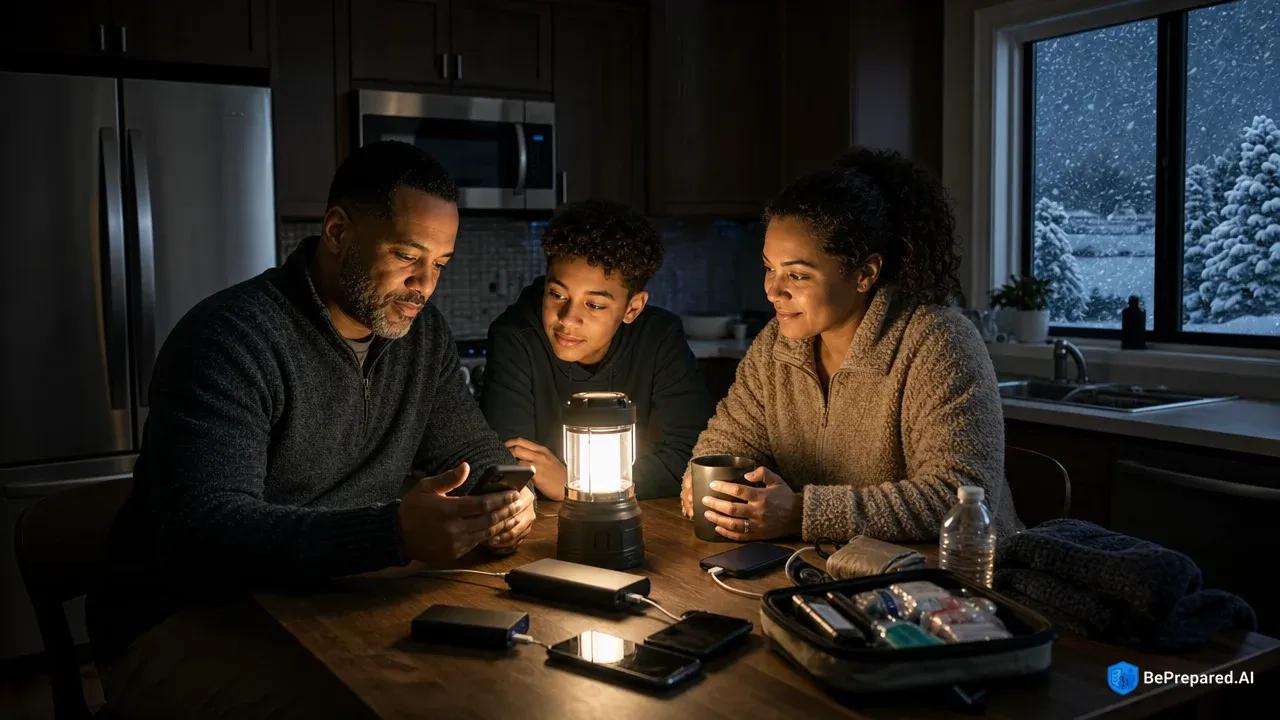
Picture this: snow is falling sideways past your window, the wind is howling like something out of a horror movie, and suddenly—everything goes dark. The hum of your refrigerator stops. The furnace clicks off. In that moment of eerie silence, you instinctively reach for your phone, and its glowing screen becomes the most reassuring thing in your world.
When winter storms strike with their full fury, your cell phone transforms from a casual convenience into genuine survival equipment. FEMA recommends keeping cell phones fully charged during winter weather emergencies . While power lines snap under the weight of ice and transformers explode in neighborhoods across affected areas, your charged smartphone remains your connection to weather updates, emergency services, and worried family members trying to confirm you're safe.
The vulnerability most of us feel during these events isn't paranoia—it's realistic. Winter storms can cause power outages that leave homes dark and cold. Your landline, if you even still have one, typically depends on power to function with modern systems. Cell towers, however, often have backup generators and battery systems that keep them operational even when your neighborhood goes dark. That makes your mobile device the most reliable communication tool you have.
There's a catch, though, and it's one that catches people off guard every winter: cold weather affects smartphone battery performance . Your phone might show 100% charge when the storm begins, but as temperatures drop inside your powerless home, that battery drains faster than normal. Understanding this reality is the first step in making sure your lifeline stays alive when you need it most.
The good news? Preparing your phone for winter storms doesn't require expensive gear or complicated plans. You can start with simple steps today that make a real difference when the power goes out.
Charge Everything Before the Storm Hits
The difference between being prepared and being caught off guard often comes down to a single evening—the night before a major winter storm arrives. While your neighbors are panic-buying bread and milk, the smartest move you can make is far simpler: plug in everything that has a battery.
Start by paying attention to weather forecasts when winter storm warnings appear for your region. The National Weather Service advises keeping cell phones charged during winter storms . Weather services usually give you advance notice before conditions deteriorate. This window is your golden opportunity. Don't waste it assuming you'll "get to it later" or that the storm won't be as bad as predicted.
Create a dedicated charging station somewhere in your home—a power strip on your kitchen counter works perfectly. On that station, gather every device your family owns: smartphones, tablets, laptops, portable power banks, rechargeable flashlights, and even your kids' gaming devices. Yes, entertainment devices matter too, especially if you're going to be trapped inside with restless children for days. Starting at 100% gives you a significant head start when the power goes out.
The timing matters more than you might think. Don't wait until the power starts flickering—by then, you're gambling. Many people make the mistake of thinking they'll charge their devices "when it gets bad," but winter storms can escalate quickly. That gentle snowfall can transform into a blizzard in an hour, and trees can come down on power lines without warning. The moment your local weather service issues a winter storm warning, that's your cue to start charging.
Check each device's battery percentage throughout the day before the storm. If something is at 85%, top it off. If a power bank is at 70%, give it another charging cycle. This might seem excessive, but you're not preparing for a best-case scenario—you're preparing for the possibility that your power might not come back on for several days. Every percentage point matters when you're rationing battery life in a cold, dark house.
This simple preparation step—charging everything before the storm—takes maybe thirty minutes of your time. You're just plugging things in and checking them periodically. But that half hour of effort can mean the difference between staying connected to emergency services or sitting in the dark with no way to call for help.
- Hand-Crank Radio/Charger
- Manual power generation for emergency communications and phone charging. No fuel needed, works indefinitely with human power, essential for weather alerts.
Essential Backup Power Sources Every Family Needs
When the power goes out and your devices start their inevitable countdown to zero, backup power sources become worth their weight in gold. Building a collection of these tools before winter arrives isn't paranoid—it's practical. You don't need everything at once, either. Start with one or two items and build your collection over time.
Portable power banks serve as your first line of defense and deserve a spot in every household. A quality power bank can recharge your smartphone multiple times before needing a recharge itself . For a family of four, consider having at least two or three power banks. Store them fully charged, and check them monthly—these devices lose charge even when not in use. The investment is reasonable, and the peace of mind is invaluable.
When shopping for power banks, look for capacity measured in mAh (milliamp hours). Higher numbers mean more charging power. A 10,000mAh unit provides solid performance for most families, while 20,000mAh models offer even more backup capacity. Read reviews before buying to avoid cheap units that fail when you need them most.
Hand-crank and solar chargers represent your infinite power option. Hand-crank chargers can generate power indefinitely without any external power source, though the trade-off is effort—you'll need to crank for a while to generate usable power . It's not efficient, but efficiency doesn't matter when it's your only option. Solar chargers work wonderfully if you have sun exposure, but remember that winter storms often bring days of heavy cloud cover. These work better as supplementary tools rather than primary solutions during actual storms, though they're excellent for the recovery period afterward.
Car chargers can be lifesavers if you can safely access your vehicle. Your car's battery can charge devices multiple times without draining the vehicle battery to dangerous levels, as long as you run the engine periodically. Keep a car charging cable for every type of device your family uses. However, never run your car in an enclosed garage—carbon monoxide poisoning kills people every winter who make this fatal mistake . If you're using your car to charge devices, make sure it's in an open area with proper ventilation, and never leave it running unattended.
Battery-powered radios deserve special mention because they solve a different problem—information. A quality emergency radio with fresh batteries can provide weather updates and emergency broadcasts for extended periods without draining your phone's precious battery. Many modern emergency radios also include USB ports for charging other devices, making them dual-purpose tools. Look for models that accept both regular batteries and have hand-crank backup options.
The key is redundancy. Don't rely on a single backup power solution. A comprehensive approach means having power banks for immediate needs, alternative charging methods for extended outages, and the knowledge of how to use each one effectively. Start with what fits your budget today, then add more options as you can.
Smart Power Conservation During Outages
Once the power goes out, every swipe, every notification, and every moment your screen stays lit becomes a small withdrawal from your battery bank. Learning to conserve power isn't about deprivation—it's about strategic rationing that can stretch your battery life significantly.
The moment you lose power, reach for your phone's settings and enable low power mode. This single action can extend your battery life considerably . On iPhones, you'll find this under Settings > Battery > Low Power Mode. Android users should look for Battery Saver mode under Settings > Battery. This feature works by reducing background activity, decreasing screen brightness, and limiting visual effects. Yes, your phone will feel slightly less responsive, but that sluggishness is actually the sound of your battery life being preserved.
Next, become ruthless about closing unnecessary apps. Those apps running in the background—social media refreshing feeds, email checking for new messages every five minutes, games waiting for you to return—they're all slowly draining your battery. Close everything except what you absolutely need for emergency communication and weather updates. On both iOS and Android, swipe up from the bottom (or double-click the home button on older iPhones) to see running apps, then swipe them away.
Screen brightness is one of the biggest battery vampires on any smartphone. Reduce it to the lowest level you can comfortably read. Your eyes will adjust within a few minutes, and you'll be amazed at how much battery life this saves. While you're at it, reduce the screen timeout to 30 seconds so your phone goes dark quickly when you're not actively using it.
Here's a trick many people don't know: airplane mode can help preserve battery when communication isn't immediately needed. When your phone constantly searches for a signal—especially in areas where service is compromised by storm damage—it drains battery rapidly. Airplane mode can preserve battery when you don't need active communication . Turn it on overnight while you're sleeping, or during periods when you're not expecting important calls. You can periodically turn airplane mode off to check for messages, then re-enable it. This strategy works especially well if you have multiple devices in your household—keep one in airplane mode as a reserve while using another for active communication.
Disable features you don't need: GPS location services, Bluetooth, Wi-Fi scanning, haptic feedback, and automatic updates. Each of these features draws power continuously. Go through your settings methodically and turn off anything that isn't essential for emergency communication. The goal is to transform your smartphone from an entertainment device into a focused communication tool.
Think of your phone like a flashlight with limited batteries. You wouldn't leave a flashlight on all day during a power outage—you'd use it only when needed. Apply the same logic to your phone. Check it periodically rather than constantly, and put it away between uses.
Keeping Your Phone Warm When Temperatures Drop
There's an invisible enemy attacking your phone's battery during winter storms, and most people don't even realize it's happening until their device shuts down unexpectedly. That enemy is cold—specifically, the way freezing temperatures affect lithium-ion batteries.
The chemistry is actually fascinating in a frustrating sort of way. Smartphone batteries can lose significant capacity in freezing temperatures because the chemical reactions that generate electrical current slow down dramatically when cold . Lithium-ion batteries perform best in moderate temperatures, which means that as your house drops into the 40s or 30s during an extended power outage, your phone's battery is fighting an uphill battle . You might start the day with 80% charge, but in a freezing room, that 80% performs less efficiently.
The solution is surprisingly simple: keep your devices close to your body. Your body temperature creates a microclimate that keeps your phone functioning optimally. Tuck your phone in an inner jacket pocket, keep it under your blanket at night, or store it in a sleeping bag with you. This isn't just about battery performance—extreme cold can actually damage phone components and cause screens to become sluggish or unresponsive.
Never leave phones in unheated areas of your home during winter power outages. That phone sitting on the kitchen counter in a room that's dropped to freezing temperatures isn't just running inefficiently—it's at risk of damage. Batteries can suffer in extreme cold, screens can crack from thermal stress, and internal components can fail. If you must store backup devices, keep them in the warmest part of your home, ideally in an insulated container or wrapped in blankets.
If a device does get too cold, warm it up gradually. Don't place a frozen phone directly on a heat source or in front of a fireplace—rapid temperature changes can cause condensation inside the device, which leads to water damage. Instead, bring it close to your body and let it warm naturally over twenty to thirty minutes. Wait until it reaches room temperature before trying to charge it, as charging a very cold lithium-ion battery can cause damage.
Think of your devices as living things that need the same warmth you do. When you're layering up and huddling under blankets, your phone should be right there with you, benefiting from the same warmth that keeps you comfortable. This simple habit—keeping your phone warm—costs nothing and can prevent both battery drain and physical damage to your device.
- Text Messages (SMS)
- Uses minimal battery power and often works when voice calls fail during emergencies
- Two-Way Radios
- Battery-efficient for local communication, no cell towers required, great for family coordination
- Voice Calls
- Moderate battery drain, may not work during network overload situations
- Social Media Apps
- High battery usage due to constant data syncing and background processes
- Video Calls
- Highest battery consumption, avoid during emergencies unless absolutely necessary
- Emergency Contacts
- Keep a written backup list - local emergency services, family, neighbors, and utility companies
Communication Strategies When Power Is Limited
When every percentage point of battery life matters, how you communicate becomes just as important as having a charged device in the first place. The difference between a phone call and a text message might seem trivial on a normal day, but during a power outage, it can significantly impact your remaining battery life.
Text messages use considerably less power than voice calls, making them the gold standard for emergency communication when power is limited . Instead of calling each family member individually to check in, send a group text. The message goes to everyone simultaneously, responses come back in one thread, and you've accomplished in minutes what might have taken an hour of phone calls. Modern messaging apps like WhatsApp, Signal, or regular SMS all work well for this purpose.
Establish a communication hierarchy before the storm hits. Designate one family member as the communication hub—typically someone who has the most reliable power backup or the newest phone with the best battery life. Everyone else checks in with that person, who then relays information to the broader family network. This prevents the battery-draining scenario where ten relatives are all calling each other trying to piece together who's safe and who needs help.
Know your local emergency numbers and understand that text-to-911 services may be available in many areas when voice calls fail . In some regions, cell towers become so overloaded during disasters that voice calls won't connect, but text messages can still get through because they require less bandwidth. Before winter storm season, check if your area supports text-to-911 by visiting your local emergency services website or calling the non-emergency line to ask.
Use social media strategically and sparingly. A single Facebook or Twitter post saying "We're safe, no power but managing fine" can reach dozens of concerned relatives simultaneously without requiring individual responses. However, social media apps are notorious battery drains because they constantly refresh feeds and load media-heavy content. Open the app, post your update, close the app completely, and resist the urge to scroll. You're not missing anything important in your feed that's worth sacrificing emergency communication capability.
Schedule check-in times with family members rather than maintaining constant contact. Agree to exchange messages at noon and 6 PM, for example. This prevents the anxious battery-draining cycle of constantly checking your phone for updates or sending "you okay?" messages every hour. Everyone knows when to expect communication, which reduces anxiety while preserving battery life.
Keep your messages concise and informative. "Safe, warm, 40% battery, will check in tonight at 8" tells people everything they need to know in a few words. Long explanatory messages and emoji-filled texts might feel more personal, but they take longer to compose and send, keeping your screen active longer than necessary.
Voice calls still have their place—if someone is injured, if you need detailed instructions from emergency services, or if the situation is genuinely urgent, make the call. But for routine check-ins and status updates, texting is your friend. This one simple switch in communication habits can double or triple your phone's useful life during an extended outage.
- Battery-Powered or Hand-Crank Radio
- Essential for receiving emergency broadcasts and weather alerts when power is out
- Fully Charged Power Bank & Charging Cables
- Keep your phone powered to make calls, send texts, and access emergency information
- Emergency Contact List (Printed Copy)
- Physical backup of important phone numbers in case your phone dies or is damaged
Building Your Communication Emergency Kit
The time to build your communication emergency kit is not when the meteorologist is pointing at a massive storm system headed your way—it's now, during a calm moment when you can think clearly and shop deliberately. This kit isn't complicated or expensive, but it requires thoughtful assembly and regular maintenance.
Start with a dedicated container—a plastic bin, a backpack, or even a drawer that everyone in your household knows about. Inside, gather charging supplies for every device your family uses. This means Lightning cables for iPhones, USB-C cables for newer Android phones and tablets, micro-USB cables for older devices, and any proprietary cables for specific gadgets. Buy extras, because cables fail at the worst possible times. Having enough supplies to last several days is a good target for emergency preparedness .
Add your portable power banks to this kit, but here's the crucial part: set a monthly reminder on your phone to check and recharge these power banks. There's nothing more frustrating than reaching for your backup power during an emergency only to discover it's nearly dead because it's been sitting unused for months. The first Sunday of every month works well as a maintenance schedule. Check the charge level, top them off if needed, and test them by actually charging a device to make sure they're functioning properly.
Include a battery-powered or hand-crank radio with fresh batteries stored separately. Batteries can corrode if left in devices for extended periods, so store them next to the radio, not in it. Mark the battery package with the date you purchased them—batteries have a shelf life, and you want to know when they need replacing.
Here's something many people overlook: paper backup contact lists remain accessible when all devices fail . Print out a list of important phone numbers—family members, neighbors, local emergency services, your insurance company, your utility company's outage line, and anyone else you might need to contact during an emergency. Laminate this list or store it in a plastic bag to protect it from moisture. When your phone finally dies and you're using a neighbor's phone or a borrowed device, you'll have these numbers available.
Add a car charger adapter and cables to your kit, along with instructions reminding family members about carbon monoxide safety. Include a small flashlight or headlamp so you can see to connect cables in the dark. These lights also help you find your charging station when the power is out.
Store this kit in an easily accessible location on the main floor of your home—not in the basement where you'd have to navigate dark stairs to reach it, and not in a second-floor bedroom that might be inaccessible if someone is injured. The coat closet near your front door, a kitchen cabinet, or a hall closet all work well.
Do a complete test run before winter arrives. Unplug your power, turn off your circuit breakers, and practice using your communication emergency kit in simulated outage conditions. Charge a device with your power bank. Try the hand-crank charger. Make sure everyone in your household knows where the kit is and how to use everything in it. This practice run will reveal gaps in your preparation while you still have time to address them.
The best emergency kit is one you've assembled thoughtfully, tested thoroughly, and can access instantly when winter weather turns your comfortable home into a survival situation. You don't need to buy everything at once. Start this week by gathering the charging supplies you already have at home, then make a list of what you still need. Pick up one or two items each month until your kit is complete.
Your First Steps Start Today
Preparing your phone for winter storms doesn't have to be overwhelming. You don't need to rush out and buy hundreds of dollars of equipment or spend an entire weekend organizing supplies. Start small, and build your preparedness over time.
This week, do just three things: First, find a spot in your home for a charging station and gather all your charging cables in one place. Second, check if you have at least one portable power bank, and if not, add one to your shopping list. Third, write down your most important phone numbers on a piece of paper and put it somewhere safe.
That's it. Three simple steps that take maybe an hour total. Next week, you can tackle another small task. Maybe you'll test your power bank or buy a battery-powered radio. The following week, you might create that printed contact list or set up a monthly reminder to check your equipment.
Winter storms will come—that's guaranteed. But you don't have to face them unprepared. Every small step you take now makes you more ready for whatever weather comes your way. Your phone can be a reliable lifeline during winter emergencies, but only if you've taken the time to prepare it properly.
Start building your communication emergency kit today. Your future self, sitting in a dark house while wind howls outside, will thank you for the preparation you're doing right now. And when that storm passes and the power comes back on, you'll have the confidence that comes from knowing you can handle whatever winter throws at you.