The idea
Your plan lives on one screen, and changes happen in place. When you upgrade, we credit the unused part of what you already paid and charge only the difference, so you are never double-billed. When you step down, your benefits stay on until the period you paid for runs out.
Using it
You manage everything from the Subscription tab. There are three products: BeAware for monitoring, BeReady for plans, and Combo, which is both together at an annual price.
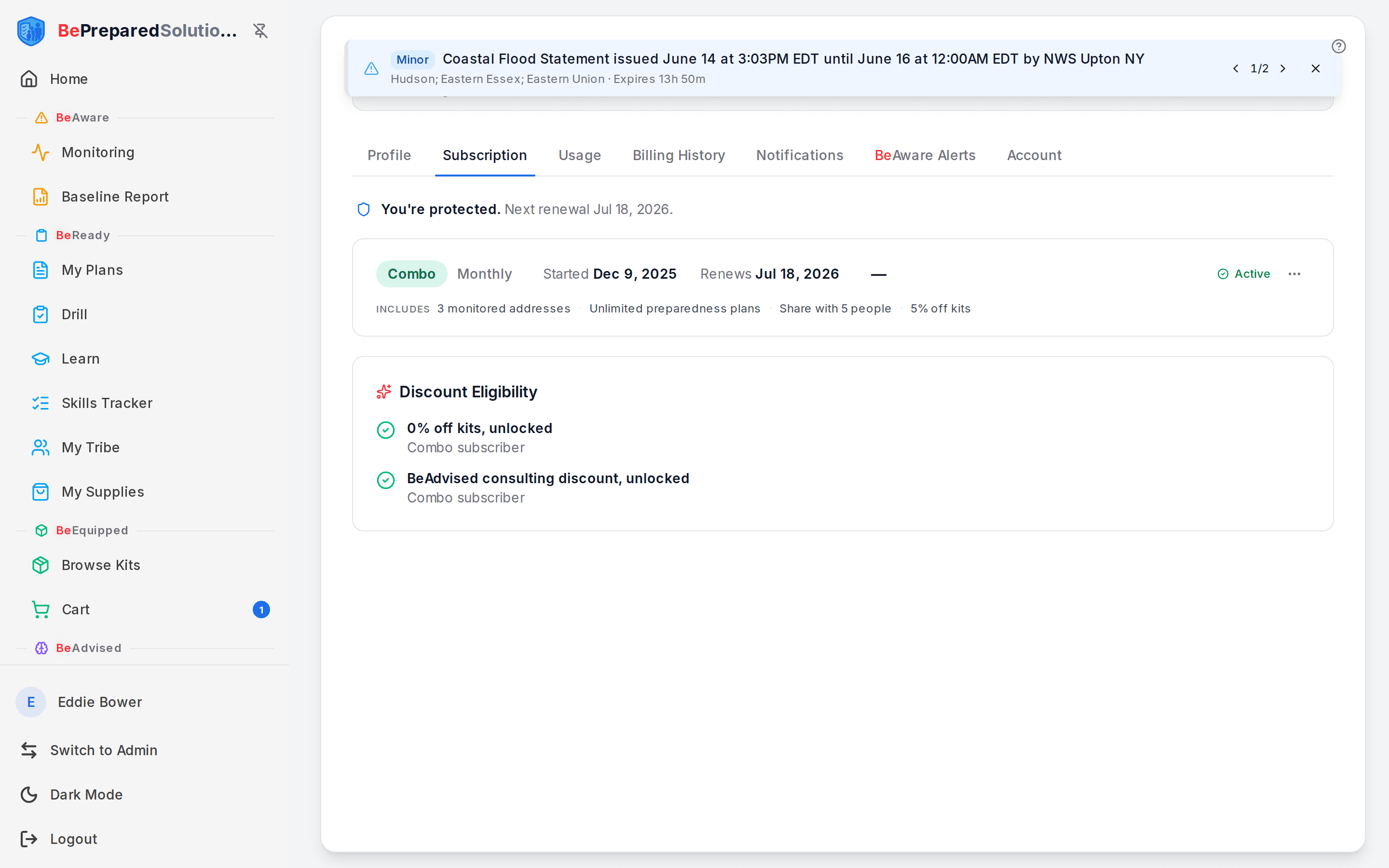
- Open your profile, then choose the Subscription tab. On a narrow screen it shows as Plan. Each active product appears as its own row with the billing interval, your start and renewal dates, and the price.
- To add the second product, look for the green Upgrade to Combo card. Combo bundles BeAware and BeReady, and it adds 5% off kits along with a consulting discount.
- Select Upgrade to Combo. A confirm window opens and previews the math: the new plan price, a credit for your unused time, any tax, and the Total today. You will also see the card on file that we charge.
- Review the total, then confirm. The change is immediate and your benefits unlock right away.
- To move a monthly subscription to annual billing, use the Switch to annual card. The same preview shows your prorated credit and the total before anything is charged.
A few rules worth knowing:
- Combo is annual only. If you are on a monthly plan, the Combo offer asks you to Switch to annual first. Do that step, and then the Combo upgrade unlocks.
- Upgrades are prorated in place. We never start your billing over. The credit for unused time is applied against the new charge automatically.
- The discount unlock for kits and consulting turns on once you are on Combo, or once you hold an active annual BeAware and an active annual BeReady at the same time.
To step down or stop a product, open the Manage subscription menu (the three-dot button on that product's row) and choose Cancel subscription.
What to do when ...
- You want to drop a product but keep using it for now. Choose Cancel subscription. It cancels at period end, so you keep every benefit until your renewal date, then it stops renewing. The row shows the end date, so there is no surprise.
- You changed your mind after canceling. Open the same menu and choose Reactivate before the end date. It goes back to renewing as usual.
- You canceled within the last 7 days. A Request refund option appears in the menu, with the days left in the window.
- You are on Combo and still see a standalone product. That is expected during the overlap. Combo already covers it, so the standalone one will not renew after its current date.
- The in-place upgrade window has closed. Use View plans to add the other product from the pricing page instead.
How people actually use it
A BeReady subscriber starts watching the news for outages near a relative and wants BeAware too. They open the Subscription tab, hit Upgrade to Combo, see a credit for the BeReady time they already paid for, confirm the small prorated charge, and have both suites within the same minute.
Someone who signed up monthly to test BeAware decides to stay for the year. They use Switch to annual, which credits the unused part of the current month. The annual rate also makes them eligible to add Combo.
Where this fits
Changing your plan is how you widen coverage across the loop, from watching for change with BeAware to having a plan with BeReady, with kit discounts waiting at the end. When you are ready to add the other product, start on the Subscription tab or compare options on the pricing page.