The idea
If you are on the Combo plan, every BeEquipped kit costs a little less, and you do not have to do anything to claim it. The discount rides along with your subscription, so the price on the card is already the price you pay.
Using it
The Combo kit discount is automatic. There is no code to enter and no button to press. Here is what it looks like and how to confirm you are getting it.
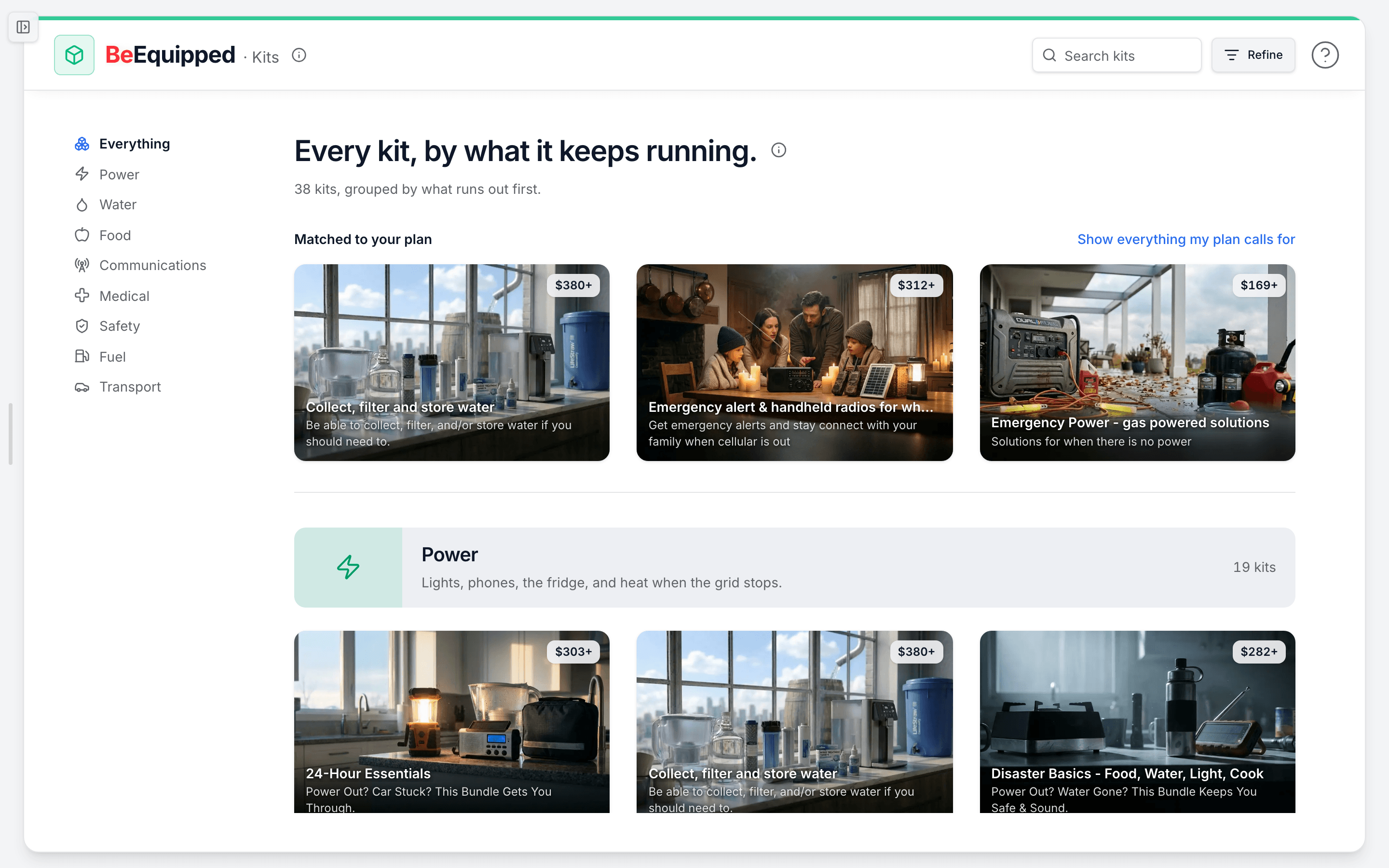
- Open BeEquipped > Kits from the sidebar. This is the kit browser, where every available kit is listed.
- If you are on the Combo plan (BeAware plus BeReady together), look for the "X% off applied" badge near the top of the page. That badge confirms the discount is active on your account.
- Browse the kits. Each kit card already shows your discounted price, so what you see on the card is what you pay. You do not need to do the math.
- Add a kit to your cart and check out. The discount carries straight through, so the cart and checkout totals match the discounted prices you saw while browsing.
A few specifics worth knowing:
- The standard Combo discount is 5% off every kit. An admin can adjust this percentage, so trust the number shown in the badge and on the cards over any figure you remember.
- The discount applies to every kit on the page, not a chosen few.
- Who qualifies: anyone on the Combo product (be_aware_plus_ready). You also qualify if you hold two separate active annual subscriptions at the same time, one BeAware and one BeReady, which together cover the same ground as Combo.
What to do when the discount is not showing
- You see "Save X% with Combo" instead of "X% off applied." That green pill means you are not currently eligible for the discount. Tap it to read what Combo includes, or open /pricing in a new tab to compare plans. Single-product plans (BeAware only or BeReady only) and the free tier do not include the kit discount.
- You are on Combo but the badge is missing. Confirm your subscription is active and annual under Account > Subscription. If it looks right and the discount still is not applying, the kit pricing may be in a passthrough mode, where items are sold at cost and no discount line applies. In that case the prices on the cards are already the lowest we offer.
- The percentage looks different than you expected. The number is set centrally and can change. The badge and the kit cards always show the current, correct amount.
How people actually use it
A family on the Combo plan opens the kit browser to round out their home supplies. They notice the "5% off applied" badge, see each kit already marked down, add a wildfire-ready kit and a first-aid kit, and check out without thinking about the math. The savings were already in the price before they started.
Someone on the BeReady-only plan browsing kits sees a "Save 5% with Combo" pill instead. They tap it, learn the discount comes with adding BeAware, and decide to weigh upgrading to Combo before their next big kit order.
Where this fits
Kits are the Have supplies step in your preparedness loop: Know your risk, Watch for change, Have a plan, Have supplies, Practice, Get expert help. Combo ties the early parts of that loop together, real-time alerts plus your personal plan, and the kit discount comes with going all in. Ready to shop? Head to BeEquipped > Kits, or compare plans at /pricing.