The idea
Your supply list is your plan turned into a shopping list. It takes who is in your household, what you are preparing for, and how long you want to be covered, then works out the quantities for you. You set the plan, and the list does the math.
Using it
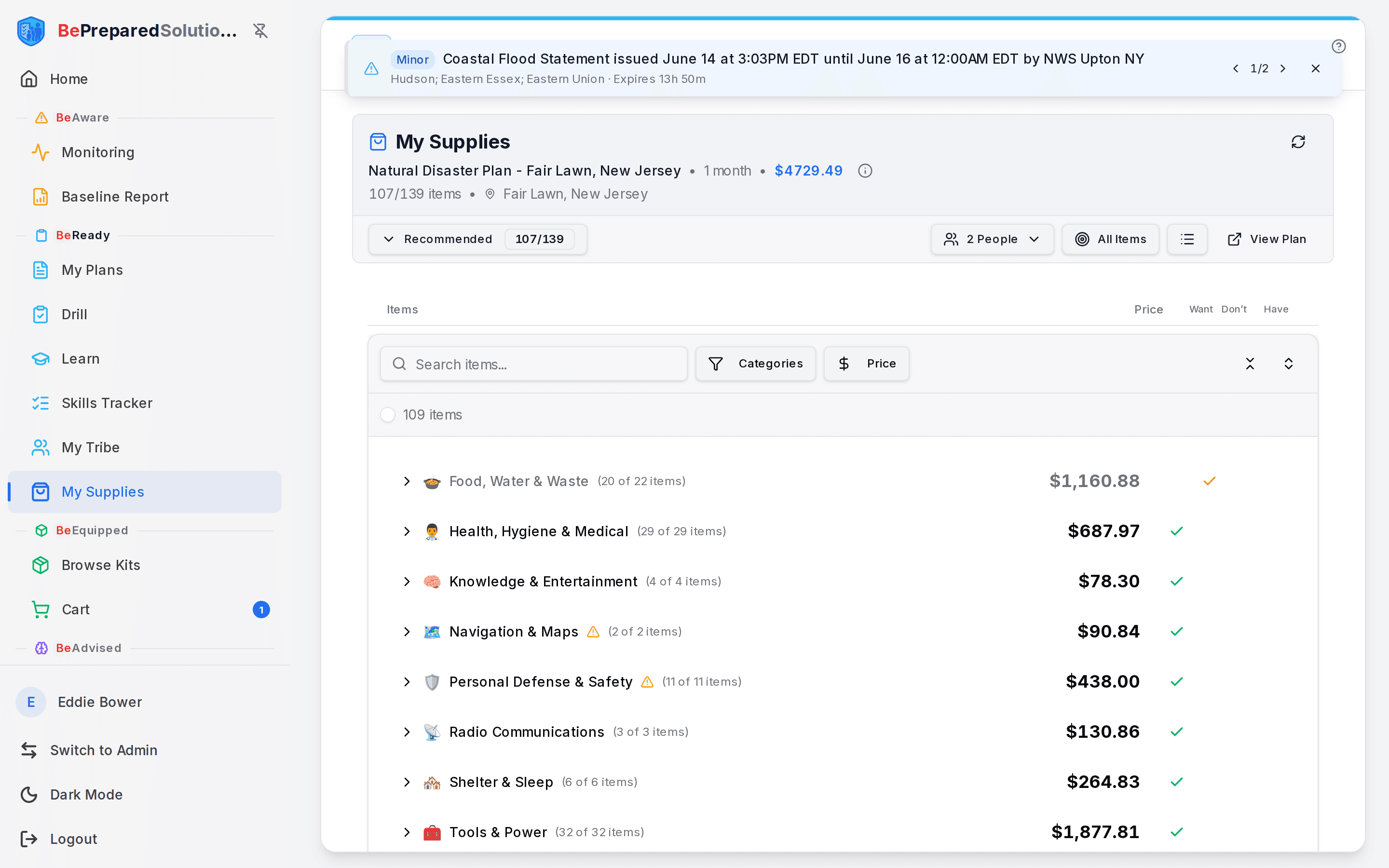
- Open My Supplies under BeReady. If you have a plan, pick it in the plan selector and the list builds itself. With more than one plan, choose the one you want supplies for.
- Read the header. The top line shows your plan name, the time horizon (for example "3 days" or "1 month"), the running cost, and how many items you have so far (for example "12/40 items"). Tap the small info icon to expand the scenarios and the people the list was built for.
- Understand the quantities. Each item shows a Qty computed from your household and time horizon. More people means more of the personal items, and a longer horizon means more of the consumables like food and water. Shared, household-level gear shows a Family tag and is counted once, not per person.
- Adjust who is included. Open the People control to toggle a household member on or off. The item counts and the total update right away, so you can see the cost for just the people you are buying for today.
- Change the time horizon by changing the plan. The horizon is set by your plan's duration, which ranges from a short 72-hour window up to a full year. To lengthen or shorten coverage, edit the plan with View Plan and regenerate the list with the refresh icon. The quantities re-scale to the new horizon.
- Switch how you read the list. Use the view toggle to move between Per-Person view (who needs what) and Simple catalog view (one flat list). Use the filter button to cycle All, then Items I Have, then Items I Need.
- Mark what you already own. Set a number in Already Have on any item. The list subtracts it, shows "Qty: 3 (of 5)", lowers the price to only what is left, and flips that item toward "have" so you never buy it twice.
What to do when ...
- You want supplies for fewer people right now: toggle people off in the People control. Totals adjust, and the plan itself stays untouched.
- You already own some of an item: enter the count in Already Have. A partial amount shows as still needed, and a full amount marks it covered.
- An item asks you to "Select Variant": open it and choose the size or option, per person where it applies, so the right version lands on your list.
- The list looks stale after a plan change: hit the refresh icon to regenerate against the latest plan.
How people actually use it
A parent of three builds a one-month plan, then toggles the two kids off to price out just the adults' restock for the week, and turns the kids back on before the big shop. Another family enters everything already in the garage into Already Have, watches the list shrink to a short "Items I Need" view, and shops only the gaps.
Where this fits
This is the "Have supplies" step in the loop that runs from knowing your risk, to watching for change, to having a plan and practicing it. Once your list reflects what you truly need, restock consumables on a calm schedule and rotate dated items like water and food as you use them. From here, head to BeEquipped to buy the gaps, or back to your plan in BeReady to adjust the horizon.