The idea
A drill is a conversation, not a test. You sit at the kitchen table, read one scenario aloud, and talk through what your household would actually do. Nothing gets moved, nothing gets graded, and twenty-five minutes later you know your plan a little better than you did before.
Using it
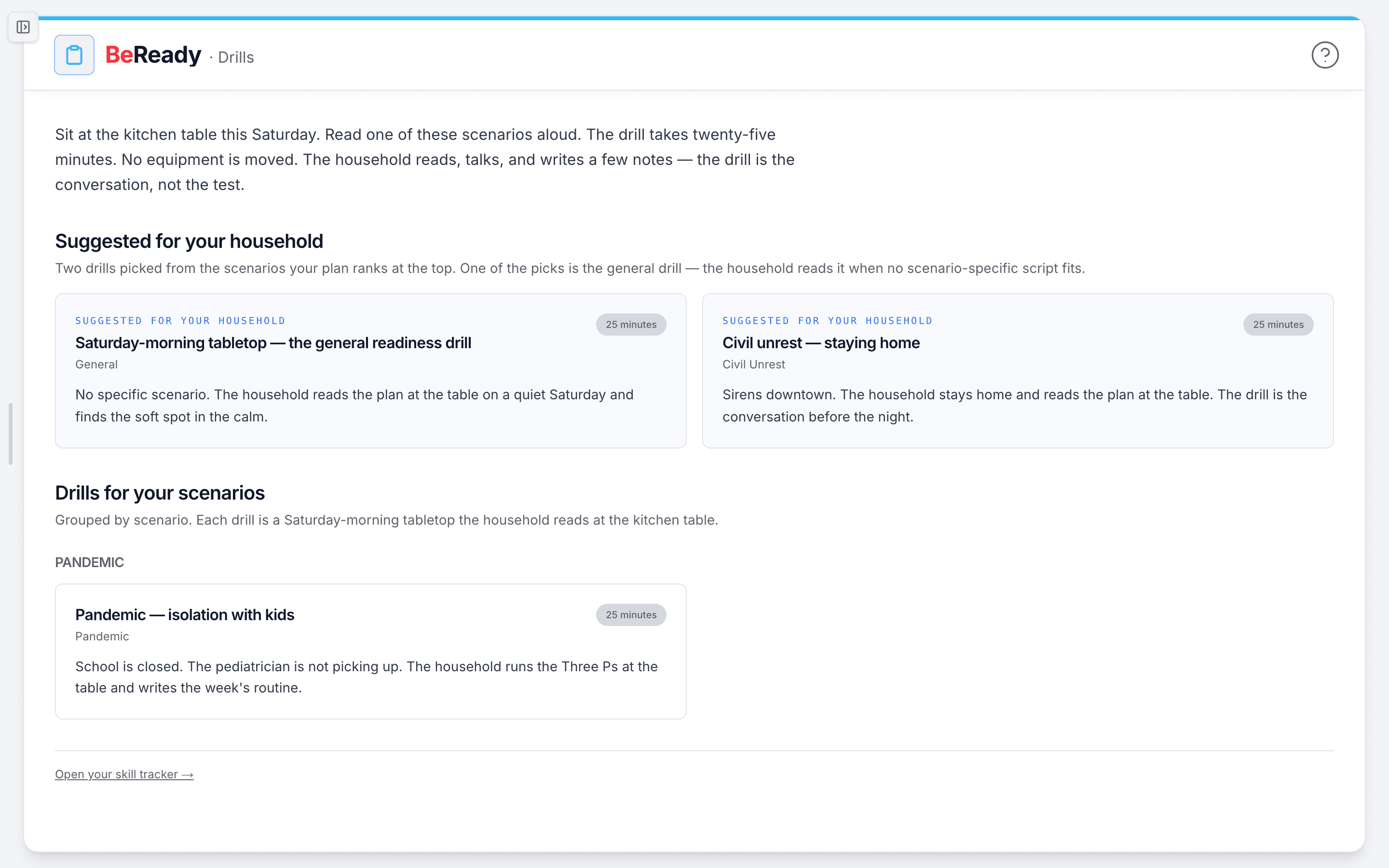
- Open /beready/drills. At the top you will see Suggested for your household with two drill cards. These come from the scenarios your plan ranks first and second, so they already fit your situation.
- Pick one. Each card shows the drill title, the scenario it covers, a one-line summary, and a 25 minutes chip. If you have run it before, the card also notes "Last run" with the date. Click the card to open the full drill.
- Read it at the table. The drill opens with the concept it is anchored on. Tap the highlighted term to pop a short definition, then read the script aloud, top to bottom, with everyone present. You do not move anything or bring out special gear.
- Talk, and jot a few notes as you go. The script asks questions. What matters is the conversation those questions start, not how fast you finish.
- Once the household has read it through, scroll to When the household has read this through and click Mark this drill as run. The button briefly shows "Recording…", then you will see "Drill recorded. Your plan saw it." It records once per household, not once per person.
Below the suggestions, Drills for your scenarios lists the full set grouped by scenario, so you can browse past the two picks whenever you want a different one.
What to do when ...
- You do not have a plan yet: the page shows a calm prompt with Start your plan, plus a link to Read the general tabletop so you can try a drill before you commit.
- You do not see "Drill recorded" after clicking: if your tracker is paused, you will see "Recording paused. The drill counts when the tracker is on." Turn the tracker back on and mark it again.
- The same drill keeps getting suggested: the picker prefers drills you have not run yet, so once you mark one complete a fresh one usually takes its place. You can also choose any drill from the grouped library below.
How people actually use it
A family with a winter-storm scenario at the top of their plan opens the page on a Saturday morning. They read the suggested power-out tabletop aloud over coffee, settle where the flashlights live and who calls Grandma, then mark it run. Done before the kids finish breakfast.
A household that just finished their plan but still feels unsure starts with the general tabletop. They talk through the basics once, then come back the next month for a scenario-specific one. Each run is a record on their skill tracker, not a score to chase.
Where this fits
Drills are the Practice step in the loop: know your risk, watch for change, have a plan, have supplies, practice, get expert help. They turn a written BeReady plan into something your household has actually said out loud. When you are done, open your skill tracker to see what you have practiced.