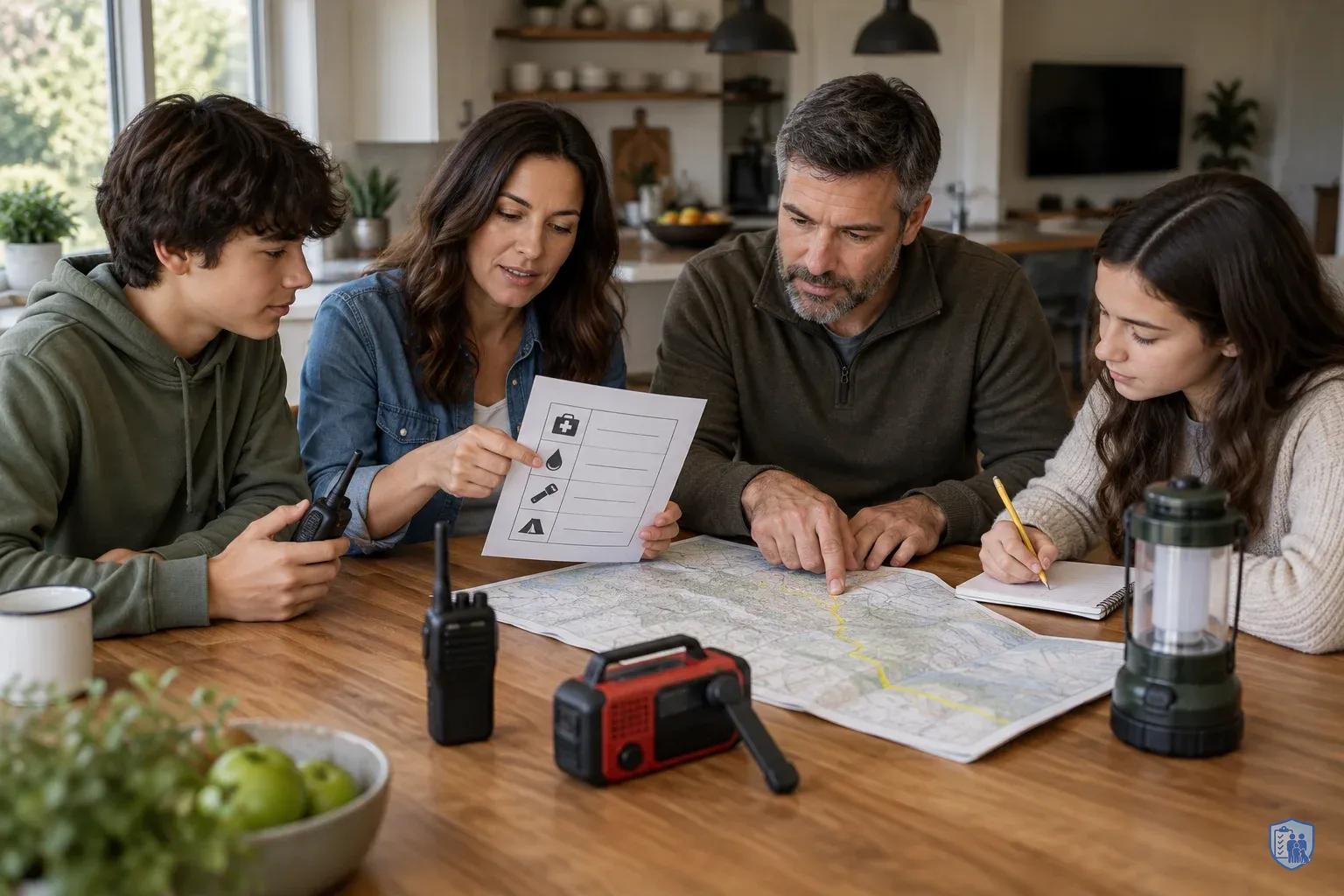
Weeks 7-8: Turn Your Gear Into a System That Works When the Grid Doesn't
Picture a Tuesday evening. The lights die, the Wi-Fi goes with them, and your phone drops from one bar to none. Your kid is at a friend's house. Your partner is stuck across town. You own a great flashlight, but nobody knows who is supposed to call whom.
Weeks 7 and 8 close that gap. Earlier weeks built your water, energy, reserves, and home hardening. This phase connects them, so your household can talk, navigate, and decide when phones, internet, and power fail. Grid failure can come from many causes: severe weather, equipment overload, or a cyberattack. Most of the household response is the same regardless of the cause.
This checklist targets three outcomes: comms and internet down, no electricity, and shelter in place. Every section below maps to at least one of them.
Ready.gov tells households to plan together around four questions: how you'll receive emergency alerts, your shelter plan, your evacuation route, and your household communication plan . FEMA's basic kit already covers the hardware, including a battery-powered or hand-crank radio, a NOAA Weather Radio with tone alert, extra batteries, a flashlight, and local maps . Here, you turn that hardware into a working system.
Maintenance beats perfection. A plan you review every few months is worth more than an elaborate one nobody remembers . The "every few months" rhythm is our recommendation. Ready.gov's point is simply that you should practice your plan.
"Good enough" checklist
- A printed plan every household member has seen
- One tested way to receive emergency information without the grid
- One tested way to reach family
- Secured accounts with printed recovery codes stored safely
- A maintenance calendar on the wall
Missed earlier weeks? Start the 8-week series from Week 1.
Checklist 1: Build your household communications tree
Ready.gov lists a household communication plan as one of the four core questions every family should answer . Grab paper and a pen tonight, then follow these steps.
-
List everyone on paper. Write down every household member and key contact: phone numbers, an out-of-area contact, workplaces, schools, your doctor, and your pharmacy. Don't rely on your phone's contact list. A dead phone means lost numbers.
-
Draw the tree. Assign who calls or texts whom, so no single person has to reach everyone. Two parents might each own half the list, with older kids reporting to one of them.
-
Set fallback layers in order. Text first. Texts often get through when voice calls don't, though that is common guidance, not a guarantee. Then call, then try the out-of-area contact, then use radio if you're licensed and in range, then go to the pre-agreed meeting place.
-
Pick two meeting places. Choose one near home, such as a neighbor's driveway. Choose another outside the neighborhood, such as a library or a relative's house. Add a simple "stay put" signal for shelter-in-place situations, like a note on the door or a specific text word.
-
Fix check-in times. Agree on set times, such as the top of each hour. Phones and radios can stay off in between, which saves battery during a no-electricity event.
-
Print wallet cards. Give every member a card with the tree, meeting places, and key numbers. Post one copy at home.
Why so much structure? In a stressful moment, people improvise badly. A tree turns "who should I call?" into a decision you made months earlier with a clear head.
Do this: Draft the tree tonight. Even a rough version on the back of an envelope beats a perfect one next month.
- Start with receive-only radio (no license needed)
- Get a battery or hand-crank radio plus a NOAA Weather Radio so you can hear alerts when phones and internet are down. NOAA Weather Radio All Hazards broadcasts continuous weather and hazard information from the nearest National Weather Service office, 24 hours a day.
- FRS: simplest lane
- License: none. Typical use: family coordination around a home, neighborhood, or campsite. Learning curve: easy enough to hand to a teenager. It is a short-distance, low-power, low-cost handheld service.
- GMRS: step up
- License: generally requires an FCC license, and one license covers the licensee's family. Typical use: two-way family communication with higher power and repeater access than FRS, which can mean better coverage. Gear costs more than basic FRS radios. Check FCC.gov for current licensing details before you buy.
- Ham (amateur) radio: most capable
- License: you must pass an exam and hold an FCC license. Typical use: the widest capability, with reach depending on the bands and equipment you use, plus a community of operators who practice emergency communication. Learning curve: steeper, with study time and exam fees. It suits families willing to invest in it.
- Ignore range claims on the box
- Real range depends on terrain, buildings, antennas, and power. Test at your actual home instead of trusting printed numbers.
- Run the radio drill
- Pick one channel. Test from inside the house, from the yard, and from the end of the street, and write down what works. Repeat quarterly.
Checklist 2: FRS, GMRS, or ham? Pick the right radio lane and run one check
Start with receive-only. It needs no license and solves the first problem: hearing what's happening. A battery or hand-crank radio plus a NOAA Weather Radio covers alerts when phones and internet are down. NOAA Weather Radio All Hazards is a nationwide network that broadcasts continuous weather and hazard information from the nearest National Weather Service office, 24 hours a day .
Next comes two-way communication. Think of the three options as lanes on a road. Each lane adds capability and paperwork.
FRS (Family Radio Service) is the simplest. The FCC describes FRS as a short-distance, low-power handheld radio service, and it's license-free .
Pros: No license, low cost, easy to hand to a teenager.
Cons: Short range and low power. It suits family coordination around a home, neighborhood, or campsite, not much more.
GMRS (General Mobile Radio Service) is a step up. GMRS is a two-way voice service for individual licensees and their family members, and it allows more capability than FRS, including higher power and repeater use . It generally requires an FCC license, and one license covers the licensee's family . Check FCC.gov for current licensing details before you buy.
Pros: More power and repeater access can mean better coverage. One license covers the whole family.
Cons: You must get licensed, and the gear costs more than basic FRS radios.
Amateur (ham) radio typically offers the longest reach and the most flexibility, depending on the bands and equipment you use. Normal operation requires passing an exam and holding an FCC license.
Pros: Wide capability, and a community of operators who practice emergency communication.
Cons: Study time, exam fees, and a steeper learning curve. It suits families willing to invest in it.
Skip the range claims printed on the box. Real range depends on terrain, buildings, antennas, and power. Test at your actual home instead.
The drill: Pick one channel. Test from inside the house, the yard, and the end of the street, and log what works. Repeat quarterly.
Battery and generator safety: If you charge radios from a power station, use a listed unit with the correct charger. Keep it away from combustibles, and retire any battery that swells or runs hot .
If you charge from a portable generator, run it outdoors only. Keep it about 20 feet from your home, with the exhaust pointed away from windows, doors, and vents . Never run it inside your home or in an enclosed or partly enclosed space . Generators produce carbon monoxide, which can kill quickly and without warning .
Checklist 3: Offline maps and a 20-minute navigation drill
Your phone is a superb navigator right up until it loses signal. If you've ever watched the blue dot freeze in a dead zone, you know the feeling. A little prep keeps your maps working when towers don't.
Before an outage, download offline map areas for home, work, school, and both meeting places in your phone's map app. Steps vary by app, so follow the app's help page. In some apps, downloaded areas can expire or need updating. Add a refresh reminder to your maintenance calendar.
Then back up the digital with paper. FEMA's emergency supply kit checklist includes local maps , and Ready.gov lists your evacuation route as one of the four core household planning questions . Keep a printed local road map in the kit. Highlight your evacuation routes and both meeting places. Paper doesn't need a charger.
Speaking of chargers: Store phone cables and a charged battery bank with the map . A dead phone makes offline maps useless.
Offline app versus paper map:
Offline app: Fast, shows your live position, and zooms easily. It depends on battery power and on a download you may have forgotten to refresh.
Paper map: Never crashes or runs out of charge, and everyone can read it at a glance. It won't show your position, and it goes stale as roads change.
Use both. Each covers the other's weak spot.
The 20-minute drill:
- Put your phone in airplane mode.
- Navigate from home to meeting place number 2 using only the offline map. Note any glitches or missing areas.
- Repeat using only the paper map. Note confusing turns, one-way streets, or spots where you'd want a landmark written in.
- Mark fixes on the paper map right away.
This is your "do" option if you skip the radio check. Either way, you'll find the weak spot while the stakes are low. It's better to learn on a calm Saturday that your download missed the next county than at dusk with a full tank and a worried family.
- Recognize and report phishing
- After outages, scammers may pretend to be utilities, FEMA or relief programs. Don't click links in unexpected messages. Go to the official site directly, and have one adult review suspicious messages before anyone acts on them.
- Use strong, unique passwords
- CISA suggests a password manager to create and store them. Protect it with a strong master password. Start with the accounts that matter most in a crisis: email, bank and credit card, utility, insurance, pharmacy and phone carrier.
- Turn on multifactor authentication
- Turn on MFA everywhere it's offered. It stops most casual takeovers even if a password leaks. Check your MFA settings twice a year.
- Update software
- Keep your software and devices updated so they stay secure.
- Print recovery codes and store them securely
- Print backup and recovery codes for key accounts. Keep them somewhere secure but easy to reach, such as a locked document box that trusted adults know about. Your family plan should list only where the codes are kept, never the codes themselves. Check them twice a year.
- Don't post about your preps
- Don't share your supply levels, your generator or your plan details online. The less strangers know about what's in your house, the fewer problems you invite. This tip is the article's own advice, not a CISA requirement.
Checklist 4: Cyber hygiene that survives a grid-down week
If a cyberattack causes the grid failure, or if the outage simply gets people scrambling, your accounts become a target. CISA's Secure Our World guidance boils household protection down to four practices: recognize and report phishing, use strong unique passwords, turn on multifactor authentication, and update software . Apply them first to the accounts that matter most in a crisis.
Top 6 accounts to secure tonight:
- Email (it unlocks everything else)
- Bank and credit card
- Utility provider
- Insurance
- Pharmacy
- Phone carrier
Here's how to harden them:
Strong, unique passwords. CISA suggests a password manager to help create and store them . Pick one you trust, and protect it with a strong master password.
MFA everywhere it's offered. It stops most casual takeovers even if a password leaks .
Print backup and recovery codes for key accounts. Store them in a secured but accessible spot, such as a locked document box that trusted adults know about.
Keep software and devices updated so they stay secure .
Watch for disaster phishing. After outages, scammers may impersonate utilities, FEMA, or relief programs. Don't click links in unexpected messages. Go to the official site directly.
Operational security is the quiet piece. This part is our advice, not a CISA requirement. Don't post your supply levels, your generator, or your plan details online. The less strangers know about what's in your house, the fewer problems you invite.
This ties directly to sheltering in place. During long stays at home, people spend more time online, which means more scams and more oversharing. Assign one adult to review suspicious messages before anyone else acts on them.
- Put the whole plan on one printed page
- Write it in plain language with these sections: alert sources (NOAA radio and local alerts), communications tree summary, meeting places, shelter-in-place plan, evacuation route, medical needs, utility shutoff notes, and account recovery location.
- List where recovery codes are kept, never the codes
- Write only the storage spot for printed recovery codes, such as a locked document box that trusted adults know about. The page should never contain passwords or recovery codes.
- Include medical needs and medications
- Add a medication list with doses and known allergies. Plan ahead for medical devices that depend on electricity.
- Add a short block of outage rules
- Use flashlights instead of candles. Keep the refrigerator and freezer closed: food may stay safe up to about 4 hours in an unopened refrigerator, 48 hours in a full freezer, or 24 hours if the freezer is half full. Never use grills, camp stoves, or generators indoors, and never heat your home with a gas stove or oven.
- Follow a maintenance calendar
- Monthly: radio check and battery test. Quarterly: offline map refresh, water and food rotation, and plan review. Twice yearly: MFA and recovery code check, contact updates, and a full drill.
- Tie upkeep to habits you already have
- Use daylight saving changes for the twice-yearly jobs and birthdays to trigger contact updates. A calendar on the wall beats a reminder you'll swipe away, and a plan reviewed regularly beats an elaborate one nobody remembers.
Checklist 5: Write the one-page family plan and set your maintenance calendar
Right now, your plan lives in your head or in scattered notes. Put it on one printed page in plain language, with these sections:
- Alert sources: NOAA radio and local alerts
- Communications tree summary
- Meeting places
- Shelter-in-place plan
- Evacuation route
- Medical needs and medication list . Add doses and known allergies.
- Utility shutoff notes
- Account recovery location. Write where the codes are stored, never the codes themselves. The page should never contain passwords or recovery codes.
Add a short block of outage rules. Use flashlights instead of candles. Keep the refrigerator and freezer closed . USDA food-safety guidance says food may stay safe up to about 4 hours in an unopened refrigerator and 48 hours in a full freezer, or 24 hours if the freezer is half full. Plan ahead for medical devices that depend on electricity . Never use grills, camp stoves, or generators indoors . Never use a gas stove or oven to heat your home .
Next, build the maintenance calendar:
Monthly: radio check and battery test
Quarterly: offline map refresh, water and food rotation, plan review
Twice yearly: MFA and recovery code check, contact updates, full drill
Tie these tasks to habits you already have. Daylight saving changes work well for the twice-yearly jobs, and birthdays can trigger contact updates. A calendar on the wall beats a reminder you'll swipe away.
Download the free one-page family plan template and wallet contact cards, and finish your plan in under an hour.
Checklist 6: Start a low-drama neighbor or CERT-style conversation
The goal is one conversation, not a militia. Swap contact info, share who has medical needs or special skills, and agree on a basic check-in plan for outages. A retired nurse two doors down is worth more than any gadget.
You don't need a speech. Try: "After the last outage, I'm making a family plan. Want to swap numbers in case phones are spotty?" Most people are relieved someone brought it up.
For structure, look into CERT (Community Emergency Response Team) training through your city or county emergency management office. Ready Houston's Neighborhood Ready, for example, encourages neighbors to prepare together for emergencies . Neighborhood watch is a different thing. It centers on residents observing and reporting suspicious activity to law enforcement, not vigilantism. Share general readiness, not your supply inventory.
Pros and cons of organizing with neighbors:
Pros: Shared skills, extra eyes on vulnerable residents, and help when your own supplies run short.
Cons: It takes time, some neighbors won't engage, and sharing too much can expose your supplies.
Mutual aid is a bonus layer, not the plan. Your household should still be able to stand on its own .
Do this: Put the date of your first neighbor conversation on the calendar this week.
Your "do" recap
- Draft the communications tree tonight.
- Run one radio check or the 20-minute navigation drill.
- Secure your top six accounts and print recovery codes.
- Print the one-page plan and hang the calendar.
- Schedule your neighbor conversation.
Get the printable 12-month maintenance calendar by email, and never wonder what to check next.
You've finished the eight-week series. You started with water, power, and reserves, and you've ended with a household that can communicate, navigate, and decide when the grid goes quiet. From here the work is upkeep, a few minutes at a time. That puts you well ahead of most households.