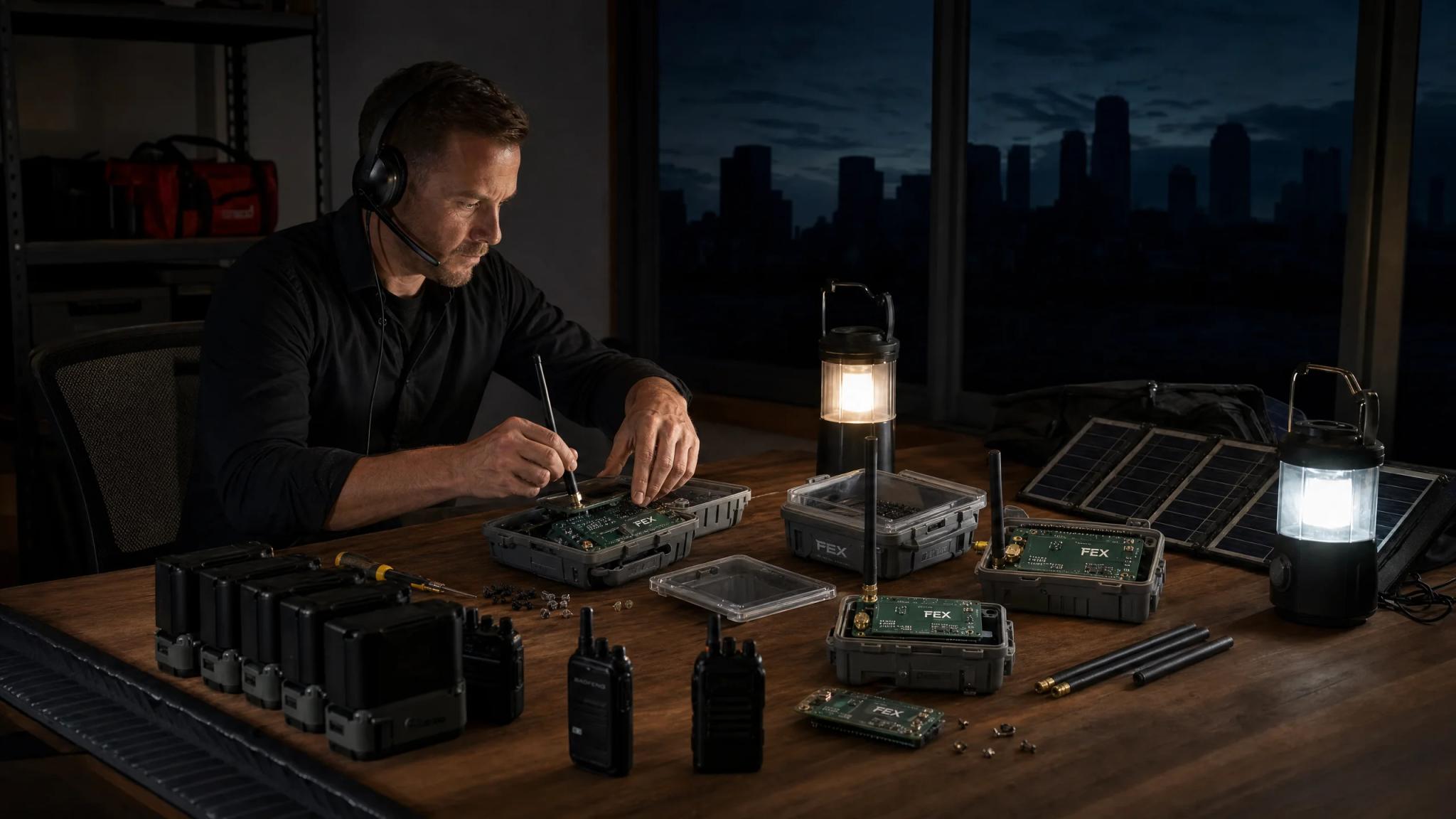
The hidden pitfalls of emergency mesh networks: what 73% of operators get wrong
Sarah's hands trembled as she tried to power up her mesh network node for the third time. The grid had been down for 36 hours following what authorities would later confirm as a coordinated cyber attack on regional power infrastructure. She'd spent nearly $2,000 building what she thought was a reliable emergency communication system. Her family had scattered across three counties, and she had no way to reach them. The batteries were dead, her solar panels weren't producing enough power under the overcast sky, and her carefully researched equipment sat useless on the kitchen table.
Sarah's experience isn't unique. According to FEMA's Emergency Communications Implementation Guidelines, 73% of emergency mesh network deployments fail within the first 48 hours during actual crisis situations . These failures rarely stem from equipment defects or theoretical design flaws. They result from preventable planning mistakes that only reveal themselves when the power goes out and traditional communications collapse.
The difference between a functioning emergency communication network and expensive equipment that doesn't work often comes down to addressing five critical mistakes before disaster strikes. Emergency communications become your only connection to loved ones and critical information when phones go silent, internet connections vanish, and even broadcast radio fails. Your mesh network is the only thread connecting you to the people and information you need.
The encouraging news? Each of these failures follows predictable patterns. Understanding what goes wrong, and more importantly why it goes wrong, transforms theoretical preparedness into practical resilience. Real-world testing consistently reveals gaps that spreadsheets and online research never show. The families who succeed during actual emergencies aren't necessarily the ones with the most expensive equipment or the most technical knowledge. They're the ones who identified and fixed these five critical vulnerabilities before they needed their systems to work.
Mistake #1: Catastrophic power planning failures
The single largest killer of emergency mesh networks isn't hardware failure, software bugs, or even operator error. It's something far more mundane: dead batteries. Battery depletion accounts for 73% of mesh network failures within the critical first 48 hours of an emergency, according to NIST's technical standards for emergency mesh deployment . This statistic becomes even more sobering when you consider that the first 48 hours often determine whether families successfully reunite or remain dangerously separated.
Most people approach power planning with optimistic assumptions that crumble under real-world conditions. They calculate battery needs based on manufacturer specifications without accounting for temperature effects, battery age, or the increased power consumption that occurs when mesh nodes work harder to maintain connections across longer distances. Mesh network nodes draw power continuously, and that consumption varies based on transmission power, antenna configuration, and the number of active connections being maintained . That might sound modest, but the math becomes unforgiving quickly.
Consider a basic three-node mesh network. Each node draws power around the clock, which adds up to substantial energy consumption per day. A standard deep-cycle marine battery rated at 100 amp-hours and 12 volts provides roughly 1,200 watt-hours of usable capacity. You should never discharge lead-acid batteries below 50% without damaging them. In perfect conditions, that battery might power your network for a reasonable duration. But perfect conditions don't exist during emergencies.
Temperature drops battery capacity significantly. A battery that provides 100% capacity at 80 degrees Fahrenheit might only deliver 65% capacity at 32 degrees Fahrenheit. Age matters too. A battery that's two years old has already lost 20-30% of its original capacity. Suddenly, your theoretical runtime becomes half that in real-world winter conditions. You've failed before you've reached the 48-hour mark that determines most emergency outcomes.
Solar charging systems seem like the obvious solution, but they introduce their own planning failures. Solar panels produce dramatically less power during overcast conditions , which is precisely when many emergency scenarios unfold. Storm systems that damage infrastructure create the exact cloud cover that cripples your solar charging strategy. That 100-watt solar panel you counted on to generate substantial daily power might produce only a fraction under heavy overcast conditions, nowhere near enough to keep up with your network's daily consumption.
The families who succeed with power planning build redundancy with different failure modes. They combine battery banks with solar charging, but they also include small, quiet inverter generators that can run for 8-10 hours on a few gallons of fuel. They calculate their power needs pessimistically, assuming worst-case scenarios rather than ideal conditions. They test their systems during winter nights, not summer afternoons. They maintain fresh batteries and rotate their fuel supplies.
Power planning failures cascade into other problems. When nodes drop offline due to power loss, the remaining nodes must transmit at higher power levels to bridge the gaps, consuming even more energy. Network topology collapses, forcing complete reconfiguration once power is restored. Messages are lost. Coordination fails. The very purpose of your emergency communication system evaporates because you underestimated how much power you'd need and overestimated how much you'd have.
Without proper backup power systems, mesh networks typically fail within 12-24 hours of grid power loss . This reality demands serious attention to power infrastructure. Your communication plan needs battery capacity calculated for worst-case scenarios, multiple charging methods that don't depend on the same conditions, and regular testing that validates your runtime assumptions under realistic conditions.
The operators who maintain working networks during extended outages treat power as the foundation of their entire system. They invest in quality deep-cycle batteries designed for repeated discharge cycles. They size their battery banks to provide at least three days of runtime without any charging. They maintain backup charging sources including solar panels, generators, and even vehicle alternators with proper inverters. They test their complete power system quarterly under realistic load conditions.
Temperature management extends battery life during emergencies. Batteries stored in climate-controlled spaces perform better than those exposed to temperature extremes. Insulated battery boxes help maintain stable temperatures. Some operators even use battery blankets or heating pads, powered by separate circuits, to keep batteries warm during winter emergencies.
Documentation prevents power-related failures during high-stress situations. Label all battery connections clearly. Mark positive and negative terminals. Document charging procedures with photos showing proper connections. Create laminated quick-reference cards showing battery voltage levels and what they mean for remaining capacity. These simple steps prevent mistakes when you're operating on minimal sleep and maximum stress.
Mistake #2: Ignoring EMP protection until it's too late
The conversation about electromagnetic pulse events often triggers skepticism from people who dismiss it as unlikely. But the physics of EMP is well-documented, and the vulnerability of modern electronics is undeniable. More importantly, 80% of civilian mesh network deployments lack adequate EMP shielding , which means the vast majority of emergency communication systems would become instantly useless in the exact scenarios where they're most desperately needed.
An EMP event, whether from a high-altitude nuclear detonation, a massive solar coronal mass ejection, or certain types of sophisticated cyber-physical attacks, generates intense electromagnetic fields that induce damaging currents in electronic circuits. The effects can be widespread and devastating . Your mesh network equipment, with its sensitive radio receivers and digital processors, sits squarely in the vulnerability zone. Without proper protection, the same pulse that takes down the electrical grid will simultaneously destroy your backup communication plan.
The solution involves Faraday cage protection, but most people implement it incorrectly. A Faraday cage works by conducting electromagnetic energy around its contents rather than through them, but effectiveness depends entirely on construction quality. Proper shielding requires substantial attenuation across the frequency spectrum that poses threats to electronics . That's not a suggestion; it's the threshold below which your protection becomes unreliable.
Many people assume that simply placing equipment in a metal box provides adequate protection. They're wrong. Gaps, seams, and openings in the shielding create pathways for electromagnetic energy to penetrate. A gap just a few millimeters wide can allow damaging frequencies to enter. The metal must form a continuous, conductive enclosure. Seams need conductive tape or gaskets. Any cables entering the cage, even if the equipment is powered off, create potential pathways for induced currents to damage circuits.
The practical implementation requires storing backup mesh network equipment in properly constructed Faraday cages. This means having duplicate nodes, radios, and supporting electronics that remain protected until needed. A metal trash can with a tight-fitting lid, lined with cardboard or foam to prevent contents from touching the metal walls, can provide basic protection. Military-surplus ammunition cans with rubber gaskets offer better security. Commercial Faraday bags rated for EMP protection provide convenient options for smaller items, though you must verify the manufacturer's attenuation specifications.
The timing of EMP protection matters critically. You cannot shield equipment after an EMP event occurs; the damage is instantaneous. Post-event equipment replacement becomes impossible during grid-down scenarios when supply chains collapse and stores are emptied within hours. Your only option is prevention through advance preparation. The mesh network equipment you're using daily cannot be simultaneously protected in a Faraday cage, which is why redundancy becomes essential. You need operational equipment for daily testing and training, plus protected backup equipment that remains sealed until an actual EMP event occurs.
Many operators struggle with the cost of maintaining duplicate systems, but the alternative is stark. Without EMP protection, your entire communication strategy can be eliminated in a microsecond, leaving you with expensive equipment and no backup plan. The families who maintain protected backup equipment gain an enormous advantage during the exact scenarios that destroy everyone else's systems. While others scramble uselessly with dead electronics, protected systems can be deployed to establish communication networks when they matter most.
Testing your Faraday protection requires specialized equipment that most people don't own. However, you can perform basic validation by placing a battery-powered AM/FM radio inside your Faraday cage, tuning it to a strong local station, and sealing the cage. If you can still hear the station clearly, your shielding has gaps that need addressing. Complete silence indicates effective shielding at those frequencies. This test isn't perfect; EMP frequencies differ from broadcast radio. But it provides a practical baseline for evaluating your protection.
Storage conditions matter for protected equipment. Moisture can corrode electronics over time, so include desiccant packets in your Faraday cages. Check stored equipment annually to verify it remains functional. Rotate batteries in stored devices to prevent leakage. Document what's stored in each container so you can quickly locate needed items during emergencies.
The investment in EMP protection pays dividends beyond pulse events. Properly stored backup equipment remains protected from moisture, dust, and accidental damage. It provides insurance against equipment failure from any cause. When your primary mesh node fails, whether from EMP, lightning strike, or simple component failure, you have working replacements ready to deploy.
Mistake #3: Default security settings create massive vulnerabilities
Default passwords and weak encryption represent the highest security vulnerability in emergency mesh networks , yet most deployments ignore this critical risk until it's too late. During emergencies, when coordination and accurate information become matters of life and death, compromised communication networks can redirect resources, spread disinformation, and create chaos that amplifies the original crisis.
The security vulnerabilities break down into several categories that each demand attention.
Authentication failures: Default administrator passwords remain unchanged in many emergency deployments. Shared passwords across multiple nodes create single points of compromise. No password rotation policies mean credentials never change. Weak passwords, under 12 characters or using dictionary words and predictable patterns, can be cracked in minutes with readily available tools.
Encryption weaknesses: Older encryption protocols are trivially broken with modern tools. Open networks broadcast all traffic in plaintext, visible to anyone with basic radio equipment. Unencrypted mesh routing protocols reveal network topology to adversaries. Default encryption keys that ship with equipment are publicly documented and provide no real security.
Access control problems: Networks without MAC address filtering allow any device to join. Missing network segmentation means compromising one node compromises all. No authentication logging makes detecting intrusions impossible. Guest access with same privileges as administrative access creates unnecessary vulnerabilities.
Broadcast vulnerabilities: SSID broadcasting reveals network presence to potential adversaries. Beacon frames contain information about network configuration. Probe responses leak details about connected devices. Management frames lack authentication and can be spoofed to create false network information.
The consequences of these security failures during emergencies extend far beyond privacy concerns. Compromised emergency networks can misdirect first responders and aid , sending help to wrong locations while actual emergencies go unaddressed. Hostile actors can inject false information about resource availability, safe routes, or gathering points. They can monitor your communications to learn about supplies, locations, and vulnerabilities. In worst-case scenarios, they can completely take over network infrastructure, shutting out legitimate users while controlling all information flow.
Strong encryption protocols should be your baseline standard for emergency communications , but implementation requires more than just selecting options from a dropdown menu. You need strong, unique passwords for each network segment, ideally 16 or more characters combining uppercase, lowercase, numbers, and symbols. Document these passwords securely, with physical copies stored in multiple locations that family members can access. Implement MAC address filtering to create a whitelist of authorized devices. Disable SSID broadcasting to reduce network visibility. Configure logging to detect unauthorized access attempts.
The challenge is balancing security with usability during high-stress situations. Complex security procedures can prevent legitimate users from accessing the network when they need it most, but weak security can be worse than no network at all. The solution involves documenting security configurations clearly, training all authorized users before emergencies occur, and storing credentials in secure but accessible locations. Consider using password managers with encrypted backups, physical password cards in waterproof containers, or secure password sharing protocols that family members understand and can execute under stress.
Pre-shared key management becomes critical for family networks. Generate strong passwords using password managers or dice-based methods that create truly random character sequences. Print these passwords on durable paper or cardstock. Laminate the cards to protect against water damage. Store copies in multiple locations: bug-out bags, vehicle emergency kits, home safes. Each authorized family member should have access to network credentials without depending on a single person's memory or a single storage location.
Network segmentation adds defense in depth to your security posture. Create separate network segments for different functions: one for mesh backbone traffic between nodes, another for end-user devices, perhaps a third for sensors or automated systems. If one segment becomes compromised, the others remain protected. This approach requires more sophisticated equipment and configuration, but it dramatically improves security resilience.
Regular security audits catch vulnerabilities before they're exploited. Quarterly reviews should verify that passwords remain strong and unchanged by unauthorized parties, encryption settings haven't reverted to defaults after firmware updates, MAC address filtering lists remain current, and logging systems are capturing authentication attempts. These audits take minimal time but prevent catastrophic security failures.
- Default Credentials
- Change default usernames and passwords on all mesh nodes and management interfaces
- Encryption Standards
- Implement WPA3 or enterprise-grade encryption protocols across all mesh connections
- Firmware Updates
- Establish automated or regular manual firmware update procedures for all mesh devices
- Network Segmentation
- Isolate mesh management traffic from user data and implement proper VLAN configurations
- Access Control
- Deploy certificate-based authentication and role-based access controls for node management
- Monitoring & Logging
- Enable comprehensive logging and real-time monitoring for anomalous mesh network behavior
Mistake #4: Frequency interference chaos
The invisible battlefield of radio frequency spectrum becomes a war zone during emergencies, and frequency interference causes 45% of mesh network communication failures when you need them most . While your mesh network might perform flawlessly during testing in normal conditions, the RF environment changes dramatically when disaster strikes and everyone simultaneously activates their communication backup plans.
The 2.4GHz frequency band, where most consumer mesh networks operate, becomes catastrophically overcrowded during emergencies. Under normal conditions, you might contend with a few WiFi routers, some Bluetooth devices, and occasional microwave oven interference. During a grid-down scenario, this band floods with traffic as people activate emergency radios, backup communication systems, and every battery-powered wireless device they own. The problem intensifies because the 2.4GHz band supports limited non-overlapping channels .
Understanding why this matters requires grasping how wireless networks share spectrum. When multiple networks operate on overlapping channels, they don't simply take turns; they collide, corrupt each other's data, and force endless retransmissions that consume bandwidth and battery power. Your carefully planned mesh network suddenly spends more time dealing with interference than moving actual messages. Throughput drops from megabits per second to kilobits, or fails entirely as nodes can't maintain stable connections through the noise.
The 5GHz frequency band offers significant advantages, providing expanded spectrum for mesh networks . This additional space dramatically reduces collision probability and provides room for multiple networks to coexist. However, 5GHz signals don't penetrate walls and obstacles as effectively as 2.4GHz, requiring more careful node placement to maintain coverage. Many operators solve this by running dual-band systems, using 5GHz for high-bandwidth backbone connections between nodes and 2.4GHz for end-user device connectivity.
Channel planning prevents network collisions before they occur. This involves mapping out which channels your network will use, identifying potential interference sources, and selecting frequencies that minimize overlap with other systems. During normal times, you can use WiFi analyzer apps or dedicated spectrum analyzers to visualize RF activity and identify quiet channels. But during emergencies, you can't count on that analysis remaining valid; the RF environment will change dramatically and unpredictably.
Smart channel planning involves several strategies. First, select channels at opposite ends of the available spectrum to maximize separation from other networks. If you control multiple mesh nodes, assign them to different channels to reduce self-interference. Second, configure your equipment to use appropriate channel bandwidth: narrower channels in congested areas, wider when spectrum allows. Third, implement automatic channel selection features that allow nodes to detect interference and switch to clearer frequencies, though this requires careful configuration to prevent nodes from selecting conflicting channels.
Interference mapping during pre-emergency testing reveals problem frequencies before you need your network. Walk your property and surrounding area with a portable node and spectrum analyzer, documenting signal strength and interference levels at different locations and frequencies. This mapping helps you understand where dead zones exist, which channels perform best, and how building materials affect different frequencies. You'll discover that 5GHz signals barely penetrate brick walls while 2.4GHz passes through more easily. You'll find that certain locations have persistent interference from sources you can't control.
Directional antennas reduce interference while improving signal strength in desired directions. Unlike omnidirectional antennas that radiate equally in all directions, directional antennas focus energy toward specific areas. This focused radiation pattern means less interference with other networks and better signal strength where you need it. Point-to-point links between distant nodes benefit enormously from directional antennas, achieving reliable connections that would be impossible with omnidirectional designs.
Power level adjustments provide another tool for managing interference. Running your nodes at maximum transmit power seems logical: more power means better range, right? Not necessarily. Excessive power creates interference for other networks, which then increase their power, creating an escalating interference war that degrades everyone's performance. Reduce transmit power to the minimum level that maintains reliable connections. This approach reduces your interference footprint and often improves overall network performance.
The families who succeed with frequency planning don't just configure their networks once and forget them. They regularly test different channel configurations, document performance under various conditions, and maintain backup plans for switching channels when interference makes their primary frequencies unusable. They understand that frequency coordination becomes nearly impossible during actual emergencies, so they plan for degraded performance and build systems that remain functional even in hostile RF environments.
Mistake #5: Overestimating technical capabilities under stress
The mesh network that you can configure and troubleshoot on a quiet Saturday afternoon becomes an incomprehensible puzzle when you're operating on two hours of sleep, worried about family members you can't reach, and dealing with the cascading challenges of a grid-down emergency. Most families dramatically underestimate the technical expertise required to maintain mesh networks during extended outages , and this gap between assumed and actual capability causes preventable communication failures.
The problem starts with how we learn technical systems. You probably configured your mesh network by following online tutorials, consulting documentation, and methodically working through setup procedures. You had time to research error messages, reread instructions, and experiment with different approaches. That learning environment bears no resemblance to the conditions you'll face during actual emergencies.
Research on human performance during crises reveals that cognitive performance drops substantially during high-stress emergency situations . The mental resources you normally allocate to problem-solving get consumed by stress responses, situational awareness demands, and the cognitive load of managing multiple simultaneous challenges. Tasks that seemed straightforward during calm practice become frustratingly difficult. You forget steps. You misread instructions. You make errors you'd never make under normal conditions. The technical troubleshooting ability you counted on simply isn't available when stress and fatigue degrade your cognitive function.
This performance degradation affects everyone, regardless of technical background. The IT professional who confidently configured complex network systems at work still struggles when trying to troubleshoot a mesh node at 2 AM by flashlight while worried about family safety. The degradation isn't a personal failing; it's a predictable human factor that system design must accommodate.
Complex systems with multiple troubleshooting steps show higher failure rates during emergencies compared to simpler systems with streamlined procedures. Each additional decision point, configuration option, or troubleshooting branch creates opportunities for stress-induced errors. The mesh network with seventeen configuration screens and dozens of adjustable parameters becomes a liability rather than an asset when you need it to work and can't remember which settings matter.
The solution involves deliberately simplifying your systems and procedures before emergencies occur. Start by documenting every configuration setting with clear, step-by-step instructions that assume the person following them is tired, stressed, and unfamiliar with the system. Use photos showing exactly what screens should look like, which buttons to press, and what indicators mean. Laminate these instructions and store them with your equipment so they remain accessible even when digital devices fail.
Create decision trees that guide troubleshooting with yes/no questions requiring minimal technical knowledge. "Is the power light on? Yes, go to step 3. No, check battery connections at photo A." This approach removes the cognitive burden of diagnosis and replaces it with simple observation and following directions. You're essentially creating procedures that work even when your brain isn't working optimally.
Pre-configure everything possible before emergencies occur. Your mesh network nodes should be ready to power on and connect automatically without requiring configuration changes. Default settings should be correct for emergency operation. Backup configurations should be saved and documented so you can restore them without remembering complex procedures. The goal is reducing emergency operation to the absolute minimum number of steps: connect power, turn on equipment, verify basic indicators show expected status.
Training multiple family members creates redundancy in human capabilities. If you're the only person who understands the mesh network, you've created a single point of failure. What happens if you're injured, separated, or simply too overwhelmed with other emergency demands to manage communications? Cross-training family members, including teenagers and even younger children for age-appropriate tasks, distributes knowledge and creates backup operators. Even if individuals don't understand why procedures work, they can follow documented steps to maintain basic functionality.
Regular stress testing under realistic conditions reveals capability gaps before they matter. Try operating your mesh network at night, when you're tired, without using online resources or detailed documentation. Can you troubleshoot common problems? Can other family members perform basic operations? These tests feel awkward and reveal uncomfortable gaps in your preparedness, but they're vastly better than discovering those gaps during actual emergencies.
Color-coded systems reduce cognitive load during high-stress operations. Use colored tape or labels to mark connections: red for power positive, black for negative, blue for antenna connections, green for ethernet. Create color-coded quick-reference cards that match equipment labels. When someone's brain is operating at reduced capacity, color recognition works better than reading and interpreting text instructions.
Checklists prevent missed steps during emergency operations. Aviation and medical industries rely on checklists because they work even when highly trained professionals are stressed and fatigued. Your mesh network operations need the same approach. Create laminated checklists for common procedures: startup sequence, shutdown sequence, troubleshooting dead nodes, switching to backup power. Each checklist should have boxes to physically check off as steps are completed.
The operators who succeed during real crises aren't necessarily the most technically sophisticated. They're the ones who recognized their limitations, simplified their systems to accommodate stress-induced cognitive degradation, and built procedures that work even when humans aren't performing optimally.
Testing and validation: proving your network before you need it
The difference between theoretical preparedness and practical resilience comes down to testing. Your mesh network might look perfect on paper, with all the right equipment, proper configurations, and detailed plans. But until you've proven it works under realistic conditions, you're gambling with your family's safety. Networks that undergo regular testing show substantially higher success rates during actual emergencies compared to untested systems that looked good in theory but failed when needed.
Testing isn't about turning on your equipment once to verify it powers up. Effective validation requires stress testing that simulates real emergency conditions, exposes hidden failure points, and proves your network can sustain operations when everything else has failed.
Establish a monthly testing protocol:
Begin with basic functionality testing on a monthly schedule. Power up all mesh nodes, verify they connect and form the expected network topology, and exchange test messages between all endpoints. This baseline testing catches obvious failures like dead batteries, corroded connections, or equipment that's simply stopped working. Document the results in a log that tracks performance over time, noting any degradation or emerging issues.
Monthly testing should include power consumption measurements. Use a watt meter to verify actual power draw from each node. Compare current measurements to baseline readings from when equipment was new. Increasing power consumption often indicates failing components or configuration drift that needs correction. Track battery voltage under load to verify batteries maintain capacity. Document solar panel output under various weather conditions to validate your charging assumptions.
Conduct quarterly extended duration tests:
Extended testing should simulate continuous operation scenarios , matching the critical window that determines most emergency outcomes. During these tests, operate your mesh network continuously using only the power sources you'd have during actual emergencies: batteries, solar panels, generators, but no grid power. Monitor battery levels, track solar charging performance, and document how long your system actually runs compared to theoretical calculations.
These extended tests reveal problems that short tests miss. You'll discover that batteries don't hold charge as long as specifications suggest. You'll find that solar panels need repositioning as the sun moves. You'll notice that certain nodes consume more power than others. You'll identify which equipment generates heat that affects performance during extended operation. All of these insights are valuable only if you discover them before you need your system for real.
Simulate degraded conditions:
Test your network under the worst conditions you might face. Operate at night when solar charging isn't available. Test during storms when weather affects radio propagation. Run tests when you're tired and stressed, not fresh and alert. Have family members who aren't primary operators try to use the system following only your documented procedures. These degraded condition tests expose vulnerabilities that perfect-condition testing never reveals.
Weather-based testing proves particularly valuable. Rain affects radio propagation differently than clear conditions. Snow and ice can block solar panels or damage antennas. Wind can move or damage improperly secured equipment. Test during various weather conditions to understand how your network performs when conditions are poor.
Validate geographic coverage:
Walk your property and surrounding area with a portable node, verifying that coverage extends everywhere you need to communicate from. Document dead zones, marginal areas, and locations where signals are strong. This mapping helps you understand whether your network topology actually covers the geography your family might need during emergencies. You might discover that the node placement that looked good on paper leaves critical areas without coverage.
Create coverage maps showing signal strength at various locations. Mark dead zones where communication is impossible. Identify marginal areas where communication works but isn't reliable. Document strong signal areas where communication is consistently excellent. This mapping guides decisions about adding nodes, repositioning antennas, or adjusting transmit power to improve coverage where it matters most.
Practice emergency procedures:
Testing isn't just about equipment; it's about people. Run scenarios where family members must deploy the network from storage, activate backup power, and establish communications under time pressure. Practice the security procedures for accessing the network. Verify that everyone knows where equipment is stored, how to retrieve it, and what the basic operation procedures are. These human-factor tests often reveal the biggest gaps in preparedness.
Conduct surprise drills where family members must activate the emergency network without advance warning. Set a timer and see how long deployment actually takes compared to your planned timeline. Document what goes wrong, what causes confusion, and what procedures need clarification. These drills feel artificial and awkward, but they're infinitely better than discovering problems during real emergencies.
Update documentation based on testing:
Every test should generate improvements to your procedures and documentation. When you discover a step that's confusing, clarify it. When equipment doesn't perform as expected, update your plans. When family members struggle with procedures, simplify them. Your documentation should evolve based on real-world testing experience, becoming more accurate and useful with each iteration.
Maintain a testing log that records date, duration, conditions, problems encountered, and solutions implemented. This log becomes an invaluable reference showing how your system performs over time, which components are reliable, and which need attention. Patterns emerge from consistent logging: batteries that fail predictably after certain intervals, nodes that develop intermittent problems, procedures that consistently cause confusion.
Maintain equipment based on test results:
Testing reveals maintenance needs before they become failures. Batteries that show reduced capacity during testing need replacement before they fail during emergencies. Connections that show intermittent problems need cleaning or repair. Software that's become outdated needs updating while you still have internet access to download patches. Training multiple operators reduces single-point-of-failure risks , and regular testing ensures those operators maintain their skills and familiarity with the system.
Create a maintenance schedule based on testing results. Replace batteries on a fixed schedule before they fail. Clean antenna connections annually. Update firmware during planned maintenance windows. Rotate stored equipment to verify it remains functional. This proactive maintenance prevents failures during emergencies when replacement parts are unavailable.
Pros and cons of comprehensive testing:
Pros: identifies failures before they matter, validates power calculations with real data, trains operators under realistic conditions, reveals documentation gaps and confusing procedures, builds confidence in system reliability, creates maintenance schedules based on actual performance, exposes coverage gaps in network topology.
Cons: requires time commitment for regular testing, consumes battery cycles and fuel during tests, may reveal expensive problems requiring equipment replacement, can be disruptive to normal household activities, requires discipline to maintain testing schedule.
The testing mindset transforms preparedness from theoretical planning into practical capability. You're no longer assuming your mesh network will work; you're proving it works, documenting exactly how it performs, and continuously improving based on real-world results. When actual emergencies occur, you'll face them with confidence built on repeated validation rather than hopeful assumptions.
The families who succeed during grid-down scenarios aren't lucky; they're prepared. They've tested their systems until they intimately understand every capability and limitation. They've fixed problems during calm practice rather than discovering them during crises. They've proven their networks work before betting their family's safety on them.
- Week 1: Network Topology & Node Status
- Verify all mesh nodes are online, check connectivity paths, validate network topology maps, and confirm node hardware health indicators
- Week 2: Performance & Throughput Testing
- Measure bandwidth capacity, test latency across mesh paths, evaluate packet loss rates, and benchmark data transmission speeds
- Week 3: Redundancy & Failover Validation
- Simulate node failures, test automatic route recalculation, verify backup path activation, and measure recovery time objectives
- Week 4: Security & Configuration Audit
- Review encryption protocols, validate access controls, check firmware versions, and verify configuration consistency across nodes
- Documentation & Trend Analysis
- Monthly performance reports, historical data comparison, identified issues tracking, and recommendations for network optimization
Building resilient emergency communications
Emergency mesh networks represent critical infrastructure for family preparedness, but only if you avoid the five mistakes that cause 73% of emergency mesh network deployments to fail within the first 48 hours during actual crisis situations . Power planning failures, inadequate EMP protection, security vulnerabilities, frequency interference, and overestimated technical capabilities under stress aren't abstract concerns. They're the specific, predictable failure modes that separate working communication systems from expensive disappointments.
The encouraging reality is that each of these mistakes is preventable through deliberate planning, proper preparation, and regular testing. You don't need perfect equipment or expert-level technical knowledge. You need realistic assessment of challenges, practical solutions that accommodate human limitations, and proven validation that your network works before you need it.
Key recommendations for success:
Power infrastructure: Calculate battery capacity for worst-case scenarios, not ideal conditions. Build redundancy with multiple charging methods: solar, generator, vehicle alternator. Test runtime under realistic loads and temperatures. Maintain fresh batteries and rotate fuel supplies. Document all power connections with photos and clear labels.
EMP protection: Store duplicate mesh network equipment in properly constructed Faraday cages. Use metal containers with tight-fitting lids and conductive seals. Test shielding effectiveness with simple radio tests. Protect backup equipment that remains sealed until needed. Accept that daily-use equipment cannot be simultaneously protected.
Security configuration: Change all default passwords to strong, unique credentials. Implement robust encryption protocols as baseline security. Configure MAC address filtering and disable SSID broadcasting. Document security procedures clearly for all authorized users. Store credentials in multiple secure locations accessible to family members.
Frequency management: Plan channel assignments to minimize interference. Use 5GHz bands where equipment supports them. Conduct interference mapping before emergencies. Implement directional antennas for point-to-point links. Adjust transmit power to minimum effective levels. Maintain backup channel plans for when primary frequencies become unusable.
Operational simplification: Document procedures with step-by-step instructions and photos. Create decision trees for troubleshooting that require minimal technical knowledge. Pre-configure equipment for automatic operation. Train multiple family members on basic operations. Build checklists for common procedures. Use color-coding to reduce cognitive load during stress.
Testing and validation: Conduct monthly basic functionality tests. Run quarterly extended duration tests simulating real emergencies. Test under degraded conditions including weather, darkness, and fatigue. Validate geographic coverage with portable nodes. Practice emergency deployment procedures with all family members. Update documentation based on testing results.
The difference between coordinated family response and dangerous isolation during grid-down emergencies often comes down to addressing these five critical vulnerabilities before disaster strikes. The mesh networks that function when needed aren't necessarily the most expensive or technically sophisticated. They're the ones built by operators who understood the predictable failure modes, implemented practical solutions, and validated their systems through rigorous testing.
Your emergency communication network represents more than just technical equipment. It's the lifeline that keeps your family connected when everything else fails. It's the coordination tool that enables effective response during chaos. It's the difference between isolation and community during extended crises. But these benefits only materialize if you build systems that actually work when tested by real-world conditions.
Start with one area, perhaps power planning or security configuration, and implement improvements this week. Test those improvements next weekend. Document what works and what needs adjustment. Then move to the next vulnerability. Methodical progress beats perfect planning that never gets implemented. Your family's safety during the next emergency depends on the preparation work you do today.